Press
Resources for covering Mira. For anything not here — interviews, promo codes, additional assets — email support@watchwithmira.com.
Boilerplate
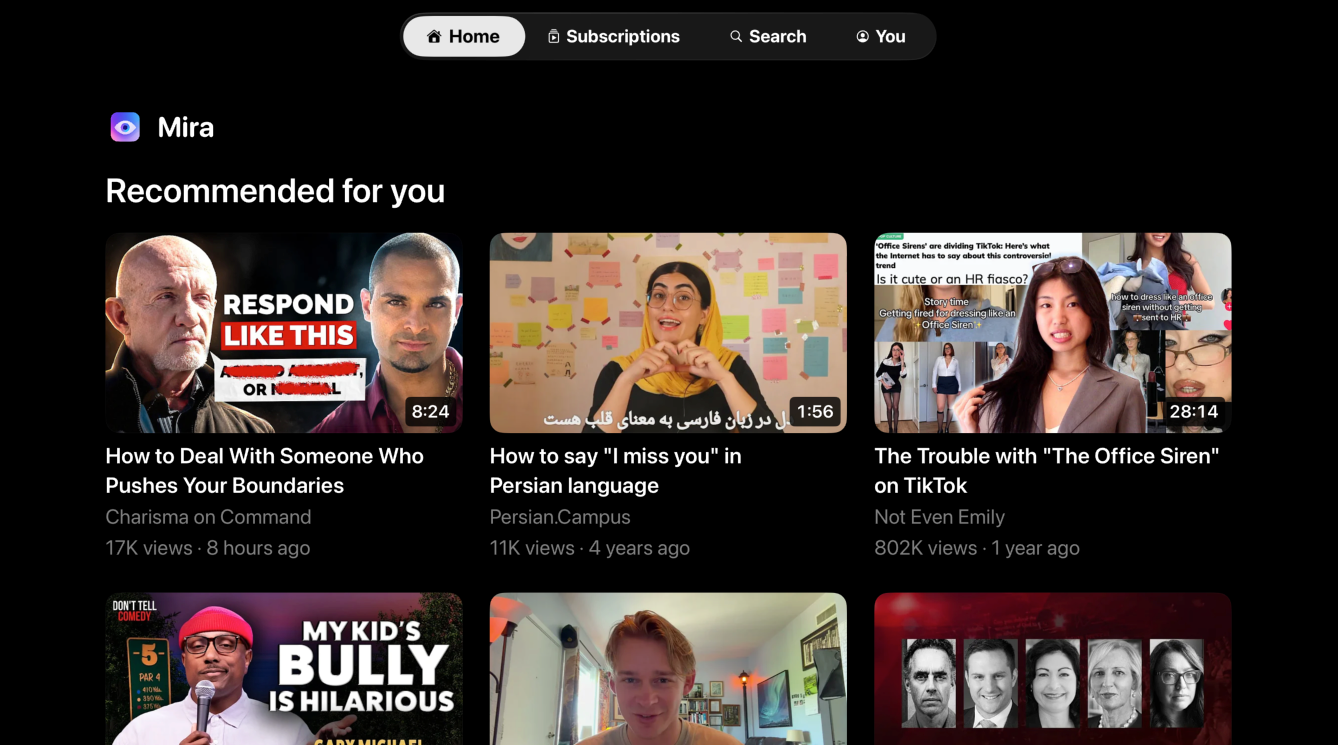
One line: Mira is a focused video player for iPhone, iPad, Mac, and Apple TV — less noise, more video.
Short: Mira is a native video player for iPhone, iPad, Mac, and Apple TV that skips sponsors, intros, and other unwanted segments automatically, makes YouTube transcripts searchable, summarizes videos with AI, and keeps watch parties in sync across devices.
Long: Mira is a native video player for iPhone, iPad, Mac, and Apple TV built around one idea: watching with less noise. It integrates SponsorBlock natively — community-marked sponsors, intros, and recaps skip automatically, with per-category control. Every YouTube video's transcript is searchable: tap a line and the video jumps to that moment, or use your own Claude, OpenAI, or Grok API key to summarize and ask questions about long videos. Watch Together keeps playback in sync across iPhone, iPad, and Mac with built-in chat. Mira is built by an independent developer in pure Swift on Apple's native frameworks, with no third-party SDKs, no analytics, and no accounts.
Fact sheet
- Platforms: iPhone and iPad (iOS/iPadOS 17+), Mac (macOS 14+), Apple TV (tvOS 17+) — one universal purchase covers all four
- Price: free to download; $2.99/month or $9.99/year (7-day free trial), or $19.99 lifetime
- Developer: Hershkovitz Bros LLC (independent, solo developer)
- Built with: Swift/SwiftUI and WebKit — no Electron, no third-party SDKs, no analytics
- App Store: Mira — Focused Video Player
- Website: watchwithmira.com (demo videos on the homepage)
Key features
- SponsorBlock built in: community-marked segments skip automatically, with per-category toggles and colored timeline markers
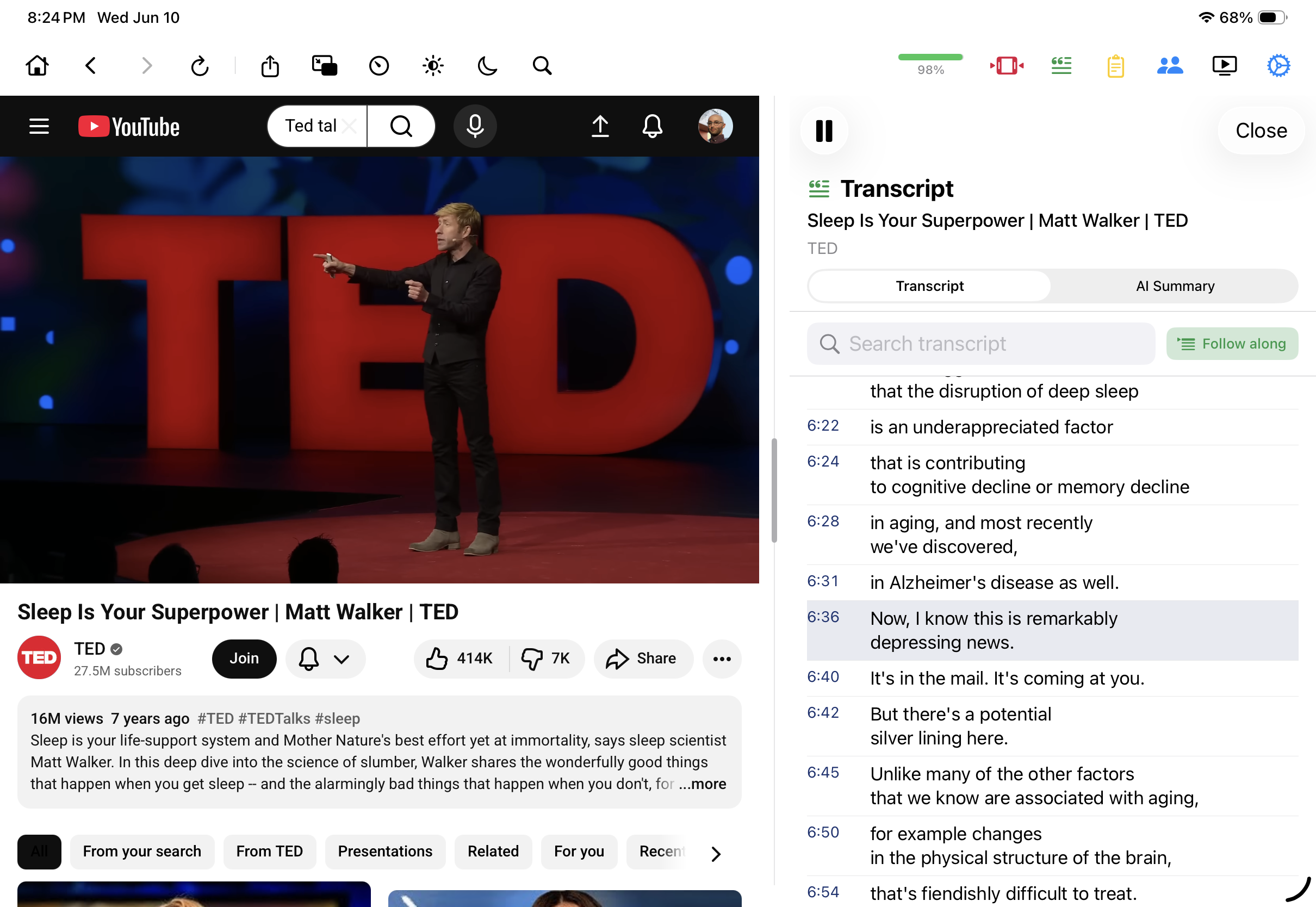
- Searchable transcripts: find any phrase in a video and jump straight to it
- AI summaries and Q&A with the user's own Claude/OpenAI/Grok key — keys stay on device
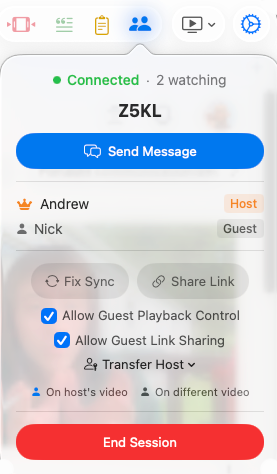
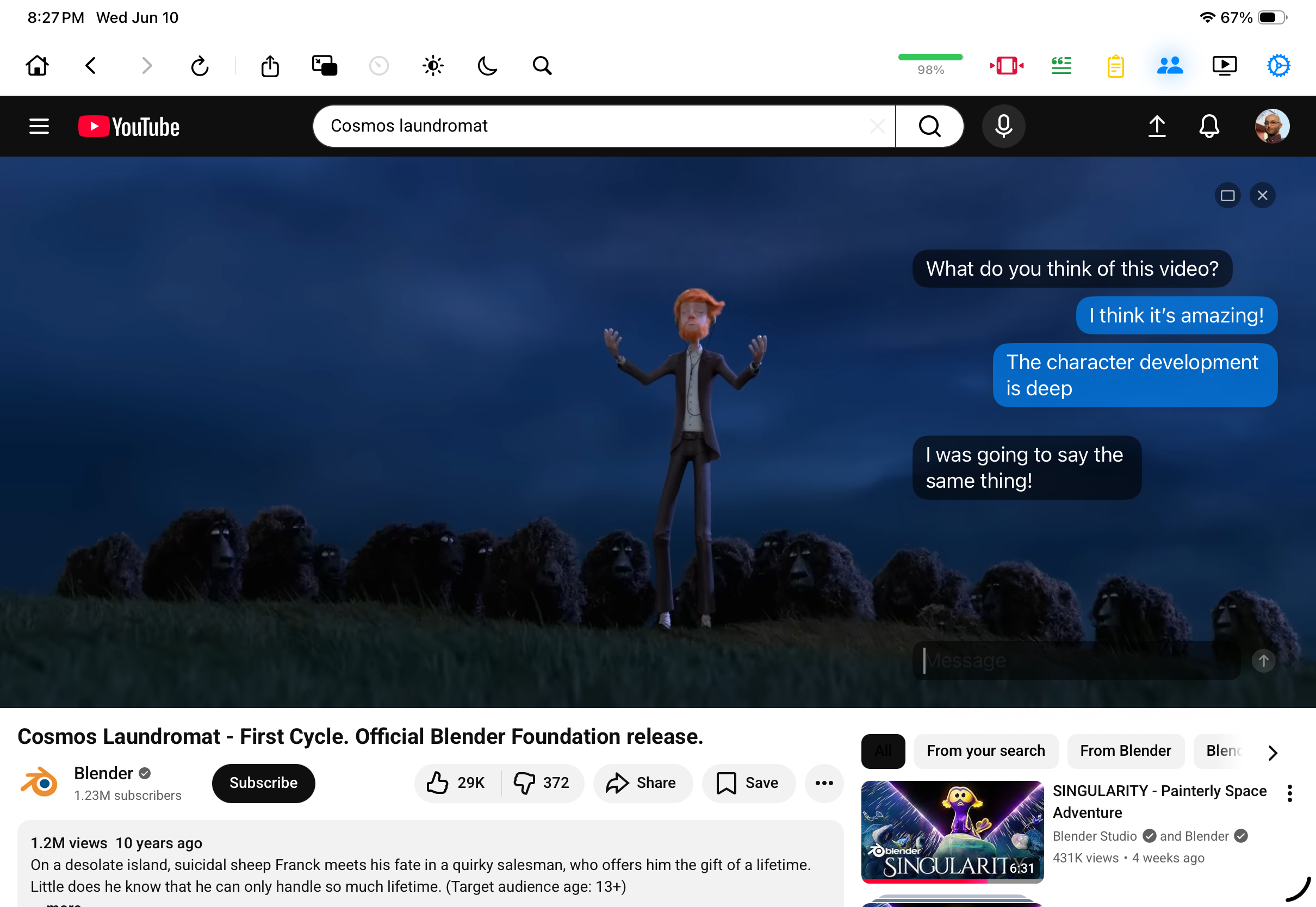
- Watch Together: synced playback and chat across iPhone, iPad, and Mac
- Focus Mode, hide-the-noise toggles, eye-comfort dimming, universal playback speed, picture-in-picture (iPhone and iPad), watchlist, AirPlay via Screen Mirroring
Screenshots
Per-feature screenshots in all four form factors (right-click to save; more available on request):
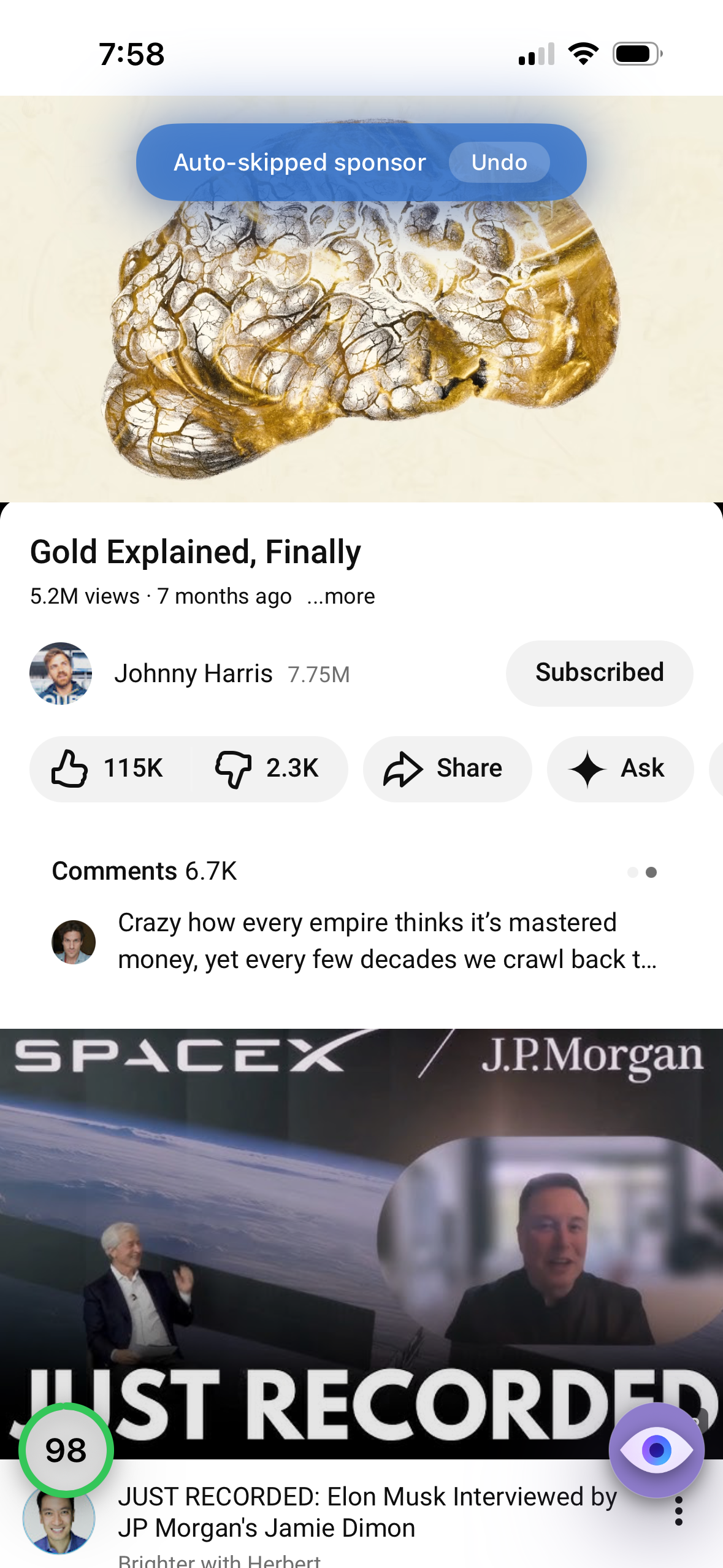
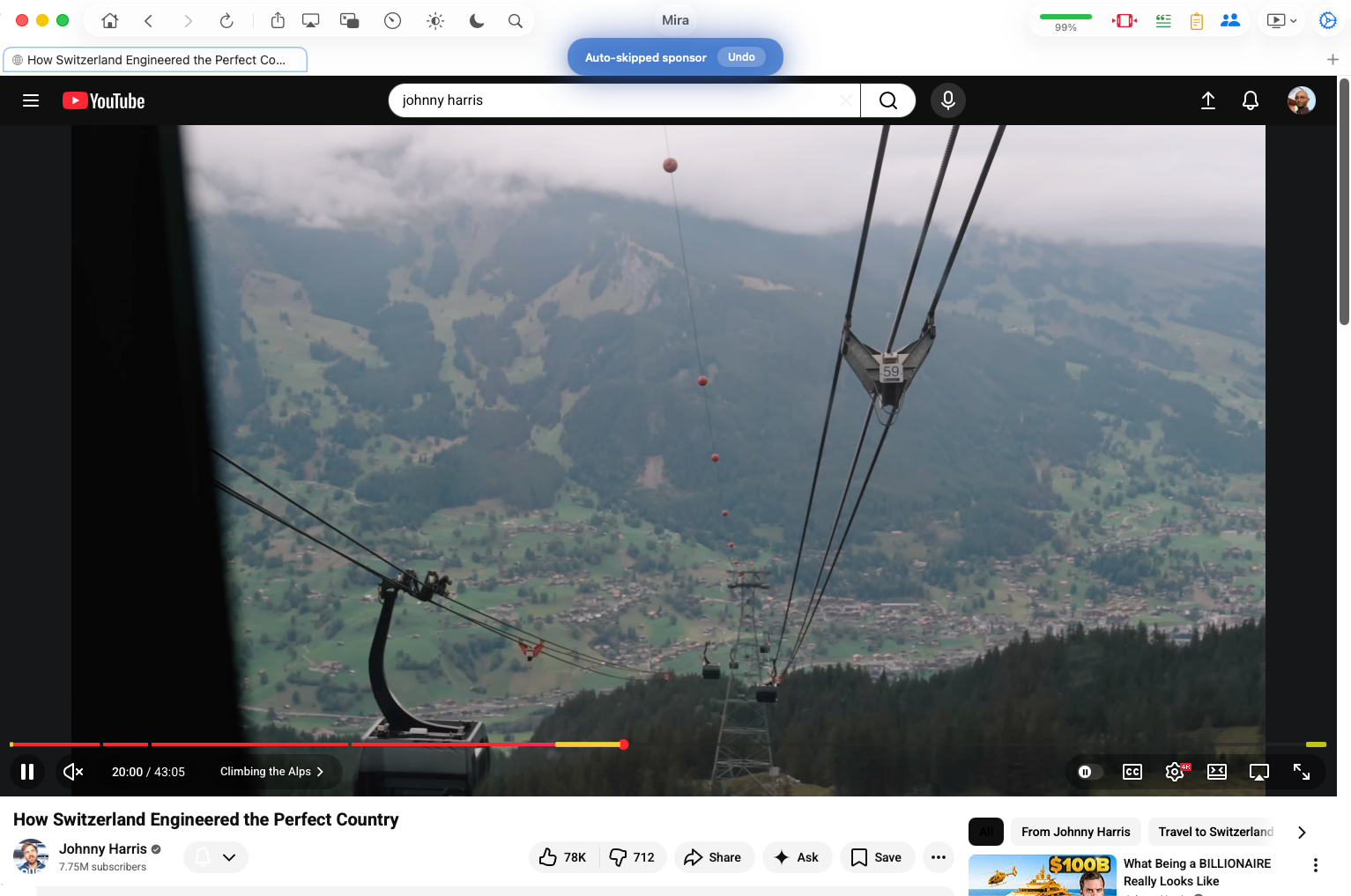
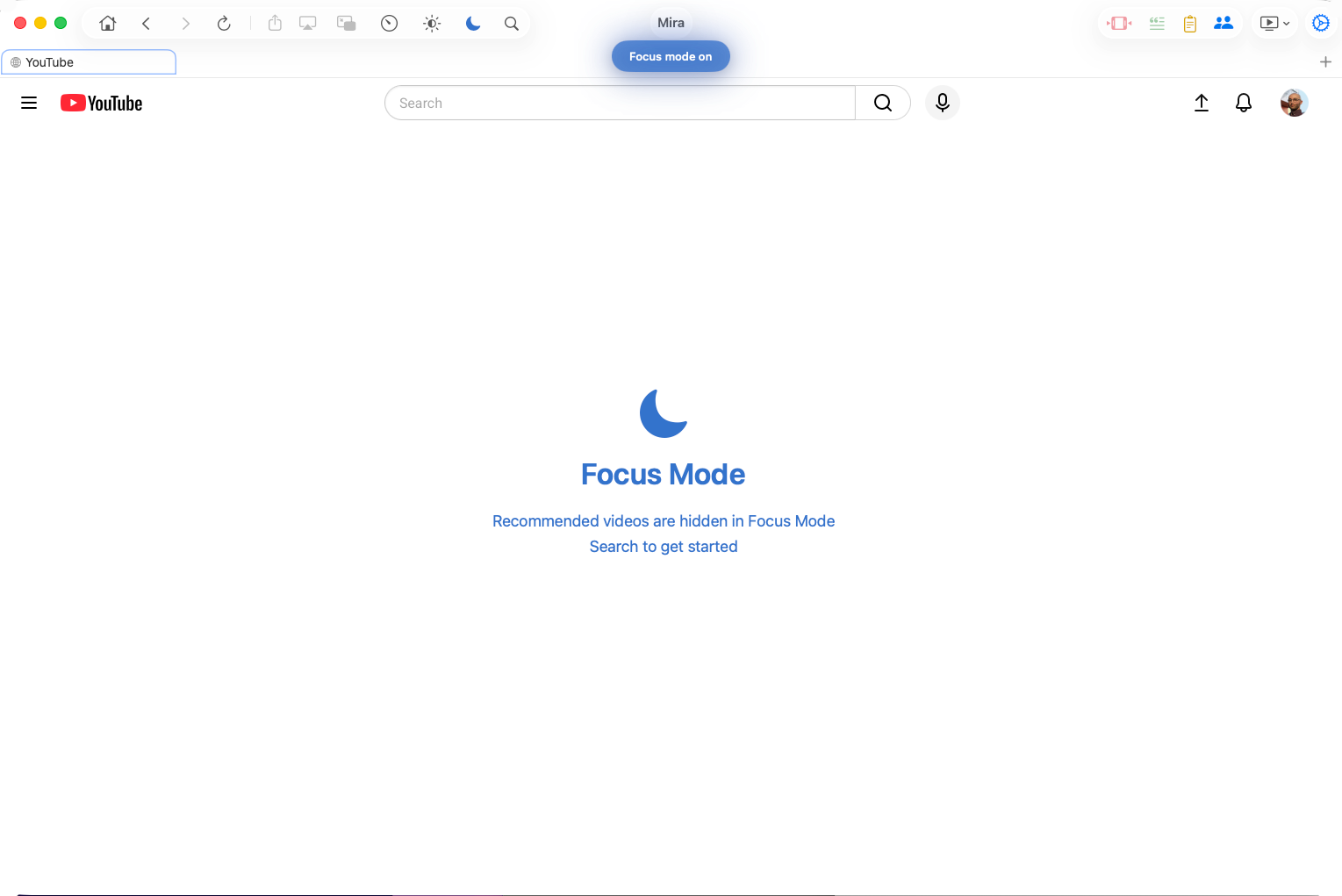
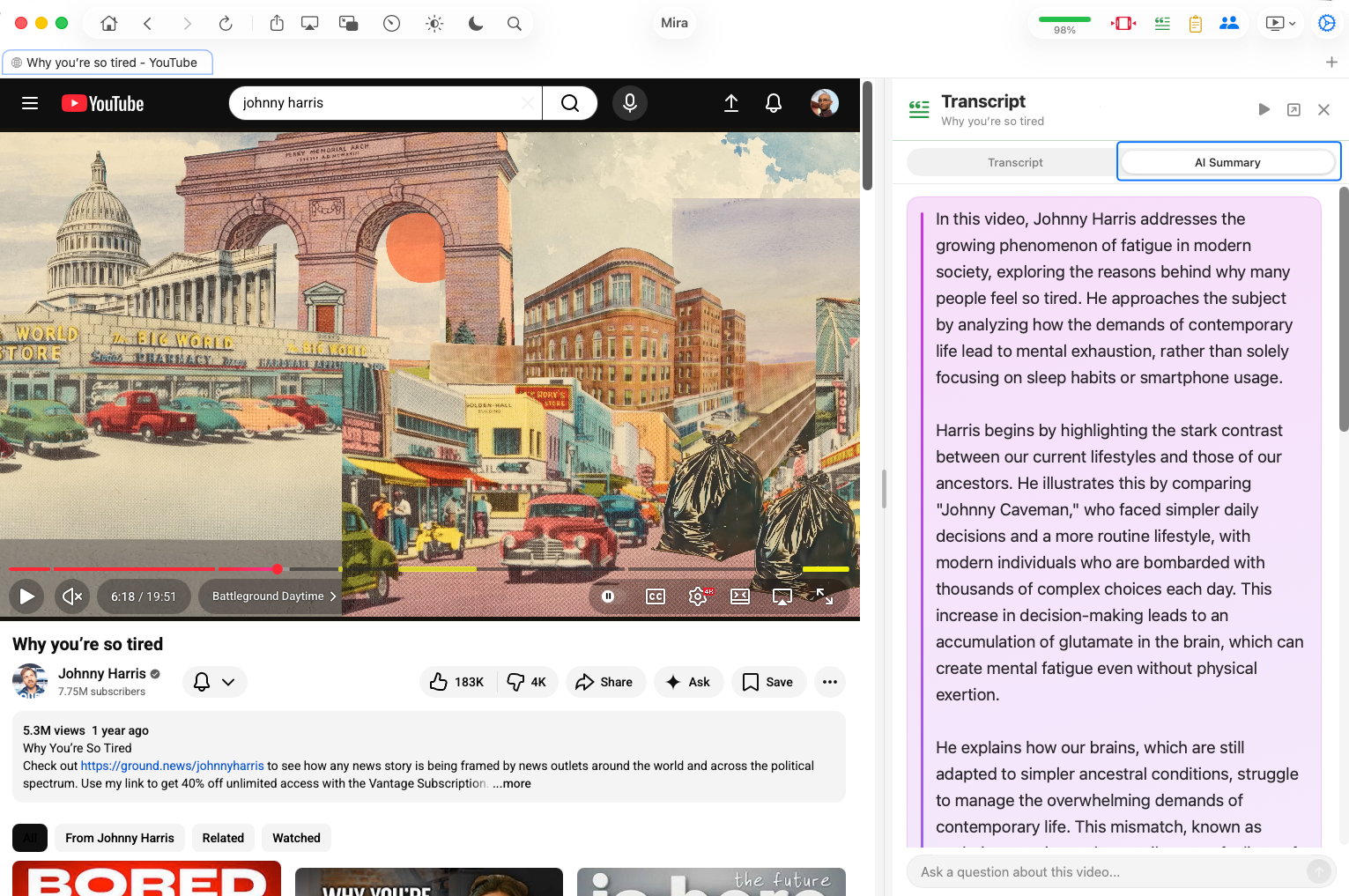
Logo: transparent PNG
Contact
support@watchwithmira.com — press inquiries answered quickly; promo codes available for review purposes.