How to Add Your Own Video Site to Mira
Everyone's video diet has a long tail. Beyond YouTube and the big streaming services, there's the regional broadcaster with the news show you follow, the lecture archive from a university, the niche sports streamer, the indie film site. Mira ships with shortcuts to the popular platforms — and for everything else, it lets you add any public video site as a custom platform yourself.
An added site isn't a second-class bookmark. It appears in your Platforms menu next to the built-ins, it can be set as your homepage, and it gets popup blocking included.
Adding a custom platform
- Open Settings → Platforms.
- Under Unofficial Platforms, tap the + button.
- Enter a name — whatever you want the Platforms menu to show — and the site's address. If you leave off the
https://, Mira adds it for you. - Save. The site now appears in your Platforms menu, ready to open with one tap.
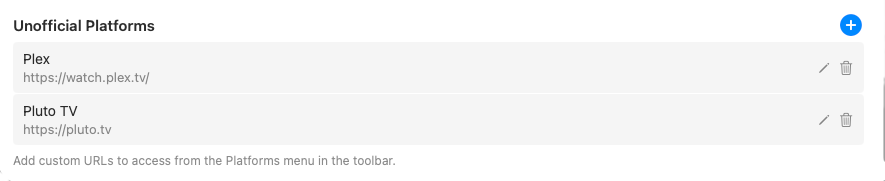
A small tip for step 3: name the platform what you call it. The name only exists for your own Platforms menu, so "Mum's news channel" is a perfectly good label for a broadcaster with an unpronounceable domain. And don't fuss over the address format — paste it however you have it, and Mira fills in the https:// if it's missing.
Editing or removing a site later
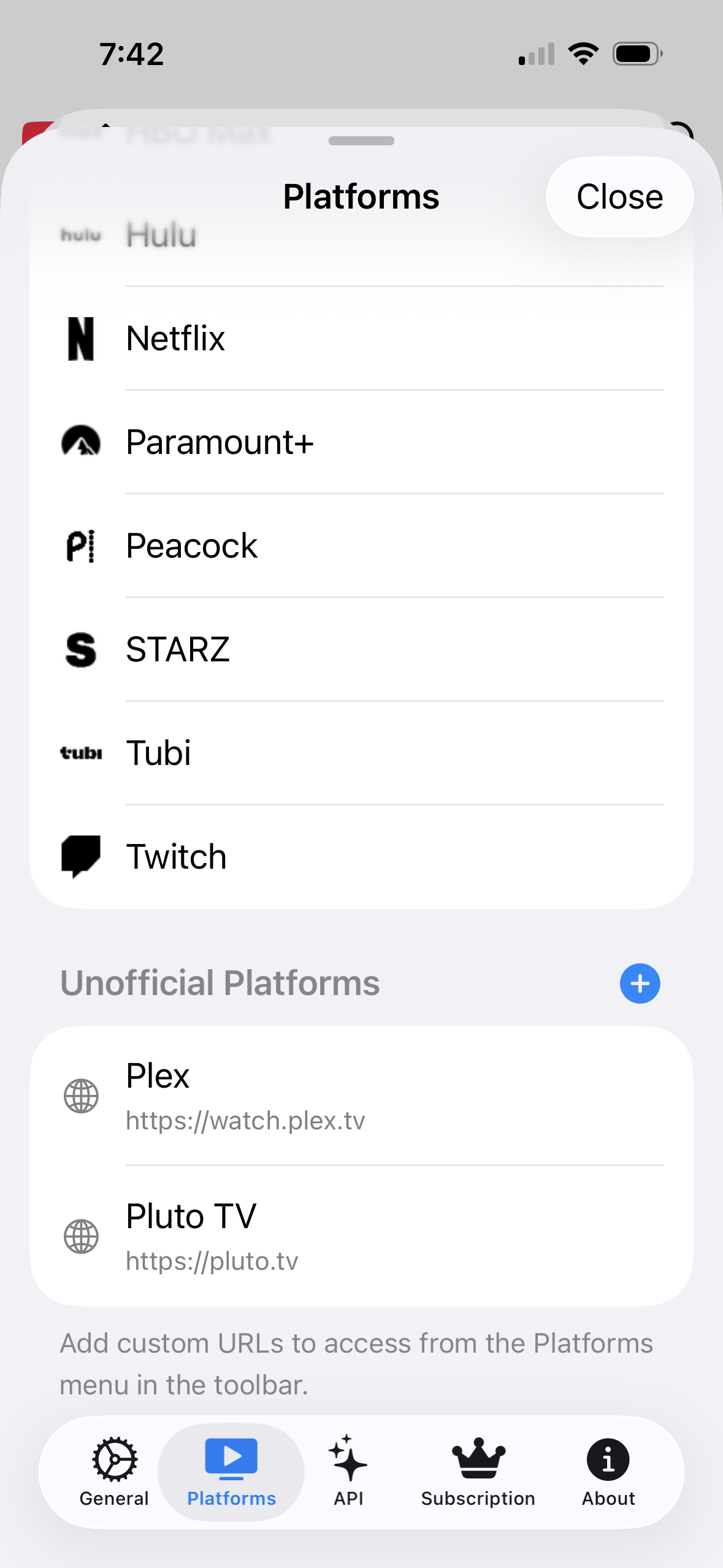
Your list isn't set in stone. On Mac, tap the pencil next to a custom platform to edit it, or the trash icon to remove it. On iPhone and iPad, tap a custom platform to edit it, or swipe left on it to delete. Renaming a platform or fixing a typo in its address takes seconds, so there's no penalty for experimenting — add a site, try it for a week, and remove it if it doesn't earn its slot.
What an added site gets
- A place in the Platforms menu. Custom platforms are listed right alongside the built-in services, so switching to your obscure favorite is as quick as switching to Netflix.
- Homepage status, if you want it. Any custom platform can be set as the site Mira opens to — useful if your most-watched site is the one nobody else has heard of.
- Popup blocking included. Smaller video sites are often the ones that need this most.
- Mira's cross-platform tools. The same toolbar follows you there: playback speed from 0.25× to 3× (10× on Mac), Eye Comfort Mode for harsh footage, automatic dark mode, the Watchlist, and Watch Together all work on the platforms you add — not just the famous ones.
What kinds of sites people add
Anything public with video on it is fair game. Common candidates: a university's lecture archive, a regional or international broadcaster, a sports streamer that never made anyone's built-in list, an indie film site, a conference's talk library. If you currently keep it as a lonely bookmark in a browser you only open for that one site, it's a candidate — that's exactly the sprawl that consolidating your video sites into one app is meant to end.
A note on signing in
Some subscription services require signing in before they'll play anything, just like they would in a browser. That works the same way in Mira: open the site, sign in with your own account, and watch. Adding a platform gives you a faster door to the site — it doesn't change what the site itself asks of you.
Things to note
- Public video sites only. The feature is built for sites anyone can reach with a URL. If a service uses an account, sign in on the site as you normally would.
- YouTube-only features stay on YouTube. SponsorBlock, transcripts, AI summaries, and Focus Mode rely on YouTube specifically — they don't light up on custom platforms. What carries over is the cross-platform set: speed, comfort, appearance, Watchlist, Watch Together.
- Every site is different. Custom platforms load the site's own player, so details like which controls its player offers are up to the site, not Mira.
Mira is a native video player for iPhone, iPad, Mac, and Apple TV that skips sponsors, intros, and other unwanted segments — with searchable transcripts, AI summaries, and synced watch parties.