How to Change Playback Speed on Any Video Site (0.25×–10×)
A one-hour lecture rarely needs a full hour. A four-minute tutorial about a tricky knot, a chord shape, or a regex sometimes needs eight. The right playback speed depends on the video — but many sites either bury their speed setting three menus deep, offer a handful of fixed steps, or don't offer one at all.
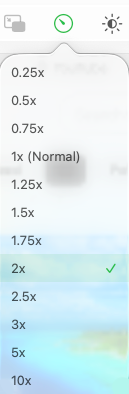
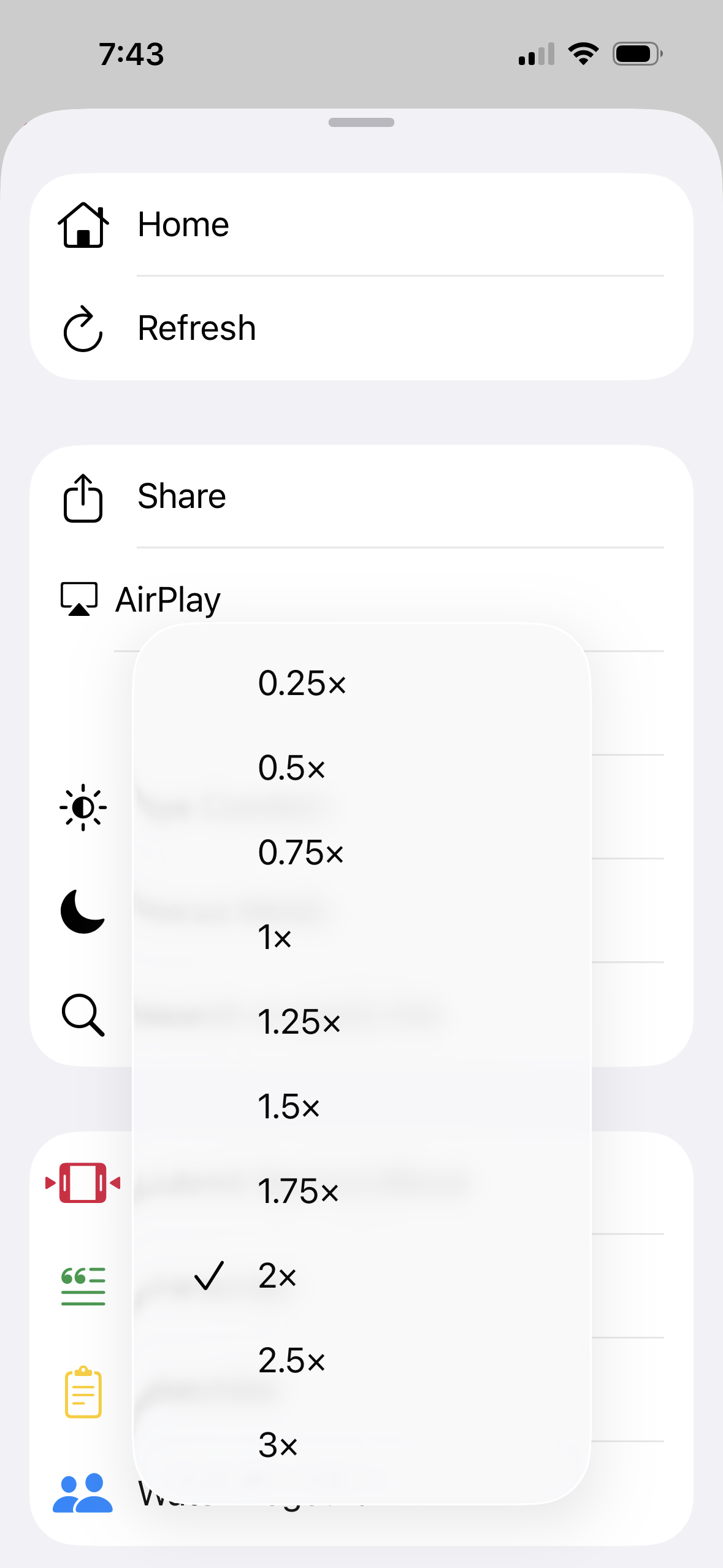
Mira puts one playback speed control in the same place on every site you watch, with a range from 0.25× up to 3× on iPhone and iPad — and all the way up to 10× on Mac. Set it once, and it works the same way whether you're on YouTube or any other platform you've added.
One control instead of ten
If you watch video across several sites, you've probably learned a different speed ritual for each: a gear menu here, a long-press there, nothing at all on the rest. Mira's speed control lives in its own toolbar and works across YouTube and your other platforms, so the ritual is always the same. That consistency is a big part of the appeal of using one app for every video site in the first place.
It also means speed control exists on sites where it otherwise wouldn't. Plenty of web players ship without any speed setting at all — live-stream sites and smaller video platforms especially. Watch them through Mira and the speed control is simply there, in the same spot it always is.
How to change playback speed in Mira
On Mac and iPad:
- Start watching a video.
- Open the Playback Speed control in the toolbar.
- Pick a speed — 0.25× up to 3× on iPad, or up to 10× on Mac.
On iPhone:
- Tap the floating eye button in the bottom-right corner to open the tool menu.
- Tap Playback Speed.
- Pick your speed.
The control highlights whenever you're not at normal speed, so you always know at a glance that you're running faster or slower than 1×. On iPad, you can also move the whole toolbar to the left, top, or right edge in Settings → General, so the speed control sits wherever your thumb naturally lands.
Speeds worth trying
- 1.25×–1.5× for lectures and talks. Most speakers pace themselves for a live room, not a recording. 1.5× usually keeps every word intelligible while trimming a third off the runtime.
- 0.75× for dense tutorials. When someone is flying through keyboard steps or a soldering sequence, slowing down beats pausing every five seconds.
- 0.25×–0.5× for fine detail. Music practice, sports technique, frame-by-frame "what just happened" moments.
- 2×+ for re-watches. Skimming back through a video you've already seen to find one section is much faster at double speed — though if you're hunting for a specific sentence, reading the video as text with a transcript is faster still.
- 1× for everything that's actually entertainment. Films, music, comedy — anything with timing built into it. The point of a speed control isn't to run everything fast; it's to match the speed to the material.
One pairing worth knowing on YouTube: Mira's Background Play keeps audio going when you lock your screen or switch apps. A long interview at 1.5× with the screen off is, functionally, a podcast app — without waiting for anyone to publish the podcast version.
Your speed is remembered
Mira remembers your chosen speed, so you don't have to reapply it for every video. If you settle into 1.5× for your lecture playlist, the next video picks up right where you left off — no menu trip required. And because the control highlights when you're off 1×, you won't forget it's set.
That's a small thing per video and a large thing per week. If you watch ten talks at 1.5×, the per-video menu trip you didn't make matters less than the speed you didn't have to remember to reapply — the setting follows you instead of the other way around.
Things to note
- The ceiling depends on the device. iPhone and iPad top out at 3×; the Mac goes all the way to 10×. In practice most speech stops being comfortable somewhere past 2× anyway, but if you're an extreme speed-listener, that's the limit.
- Watch Together locks speed to 1×. During a synced session, everyone needs to see the same moment at the same time, so playback speed is fixed at normal until the session ends.
- A remembered speed cuts both ways. If you finish a lecture at 1.5× and then put on a film, the film starts at 1.5× too — the highlighted control makes it obvious, but you'll want to dial it back yourself.
Mira is a native video player for iPhone, iPad, Mac, and Apple TV that skips sponsors, intros, and other unwanted segments — with searchable transcripts, AI summaries, and synced watch parties.