Apps Like Vinegar: A Cleaner Video Player for Every Apple Device
Vinegar is a paid Safari extension built on one well-regarded idea: replace the player on YouTube pages with a clean, native one. For a lot of people it was the moment they realized the default viewing experience is adjustable — that the player itself, not just the content, shapes how watching feels. If that idea clicked for you and you've wondered what it looks like as a full standalone app — the same calm player on iPhone, iPad, and Mac, with a few more tools attached — that's the territory this post covers.
The idea worth keeping
What extensions like Vinegar demonstrate is that small changes to the player compound over hours of watching. A tidier player means a little less friction every single time you press play, and that arithmetic favors anyone who watches daily. It's also a one-time purchase that lives inside Safari, which makes it a natural fit for people whose watching already starts and ends in the browser. None of that needs fixing — it's a focused approach, well executed, and it deserves its reputation.
The same instinct, as a dedicated app
Mira starts from the same instinct — the watching experience deserves deliberate design — and builds a standalone player around it. Instead of adjusting pages inside Safari, Mira opens YouTube and other video sites in its own window, with a toolbar that keeps home, back and forward, playback speed, Focus Mode, the transcript, Watch Together, and Settings one click away. On the Mac it supports tabs: ⌘T opens a new tab, ⌘L jumps to the search bar, and you can drag a video link in from any app to open it instantly.
What Mira layers on
SponsorBlock skipping. Mira skips sponsors, intros, and other unwanted segments using community-shared SponsorBlock timestamps. You choose which of the eight categories to skip, you can color-code the timeline by segment type, and an Undo appears after each skip in case you wanted that part. Setup on the Mac is covered in SponsorBlock on Mac.
Transcripts and AI. Open a YouTube video's full transcript, search it like a document, and tap any timestamp to jump there — or let Follow Playback scroll it for you. Connect your own API key from Claude, OpenAI, or Grok and an AI Summary tab adds key takeaways, outlines, and follow-up questions; the key stays on your device, and transcripts work without one.
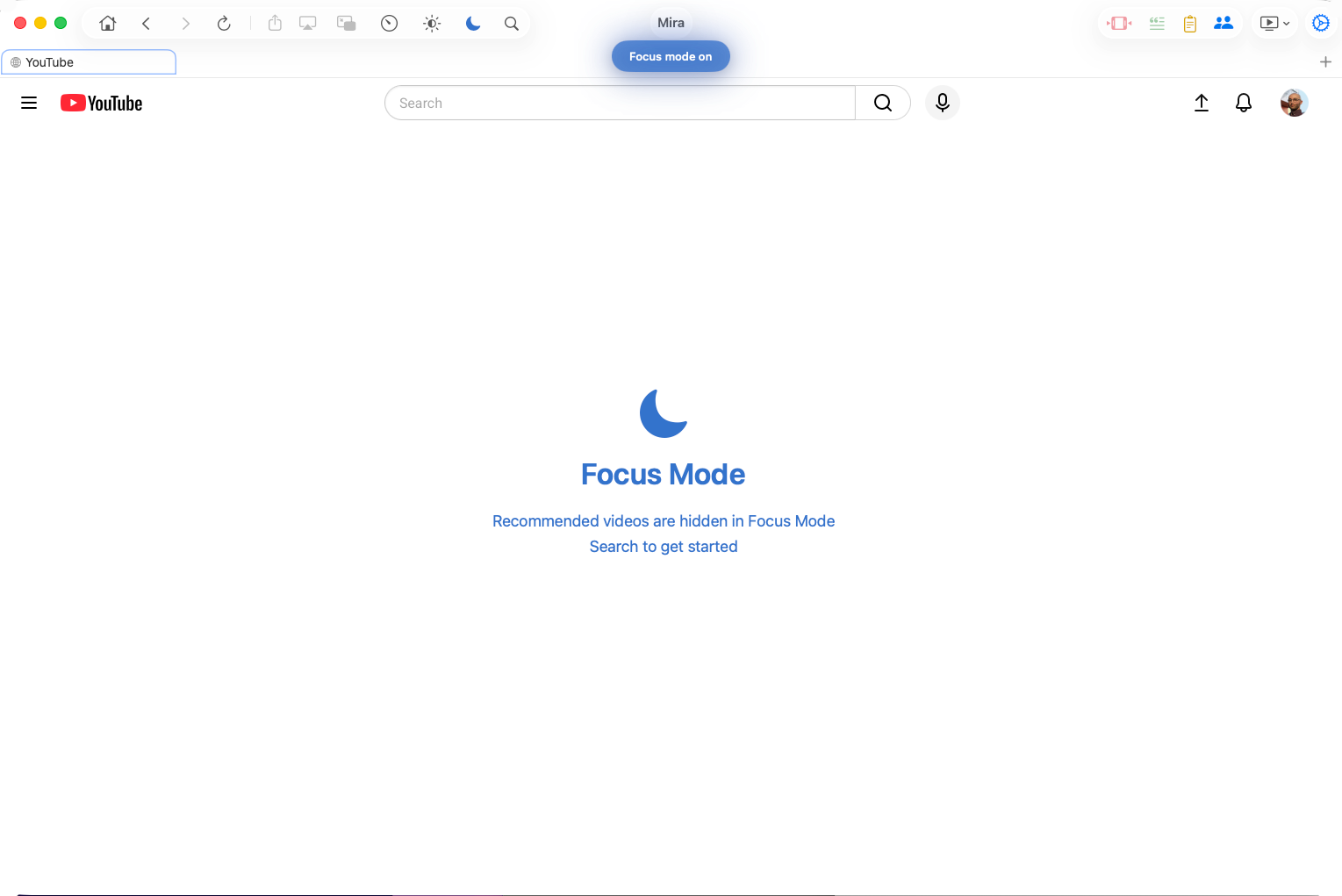
Focus Mode. One toggle reduces YouTube's homepage to a search bar, and on a video page it hides comments and recommendations while the video keeps playing. The feed is still one tap away — it's just no longer the default.
Watch Together. Host a room with a 4-character code and up to 10 people watch in sync — play, pause, and seeks follow along for everyone, with built-in chat. On Mac and iPad the chat can float over the video as a translucent overlay.
A watchlist. Save videos for later, pin the ones that matter, and resume partially-watched videos from a saved timestamp.
Comfort details. Eye Comfort Mode dims harsh videos with an adjustable slider, dark mode follows your system automatically, and playback speed runs from 0.25× to 3.0× (up to 10× on Mac) with your choice remembered.
Who should pick what
If your watching starts and ends in Safari, the extension approach fits that habit well. Mira is for people who want watching to be its own place — a dedicated player they open on purpose, that looks and works the same on whichever device is closest, with skipping, transcripts, and watch parties built in. For a wider tour of every approach on the Mac — browser tab, web app, extension, dedicated player — see the best ways to watch YouTube on a Mac.
Things to note
- It's its own app. Mira opens video in its own window rather than inside Safari — and on the Mac you can drag links straight in from any app.
- The deepest features are YouTube features. SponsorBlock, transcripts, and Focus Mode apply to YouTube; other sites get the cross-platform tools like speed, Watch Together, and the watchlist.
Mira is a native video player for iPhone, iPad, Mac, and Apple TV that skips sponsors, intros, and other unwanted segments — with searchable transcripts, AI summaries, and synced watch parties.