Long-Distance Watch Nights: Keeping Video Perfectly in Sync
Anyone who has tried a long-distance movie night knows the ritual. You both load the video. You count down over the phone — "three… two… one… play." For about ninety seconds it feels like genius. Then one stream stutters, or someone's notification steals focus, and now you're watching two slightly different movies. One of you laughs three seconds before the joke. That's not a shared moment; that's a spoiler with extra steps.
Pausing makes it worse. Snack break? Now you're negotiating timestamps like air-traffic controllers: "I'm at 41:12." "Okay, I'm at 41:19, pause… no, I mean — let's just count down again."
The countdown was never the fun part.
What a watch night looks like when it actually syncs
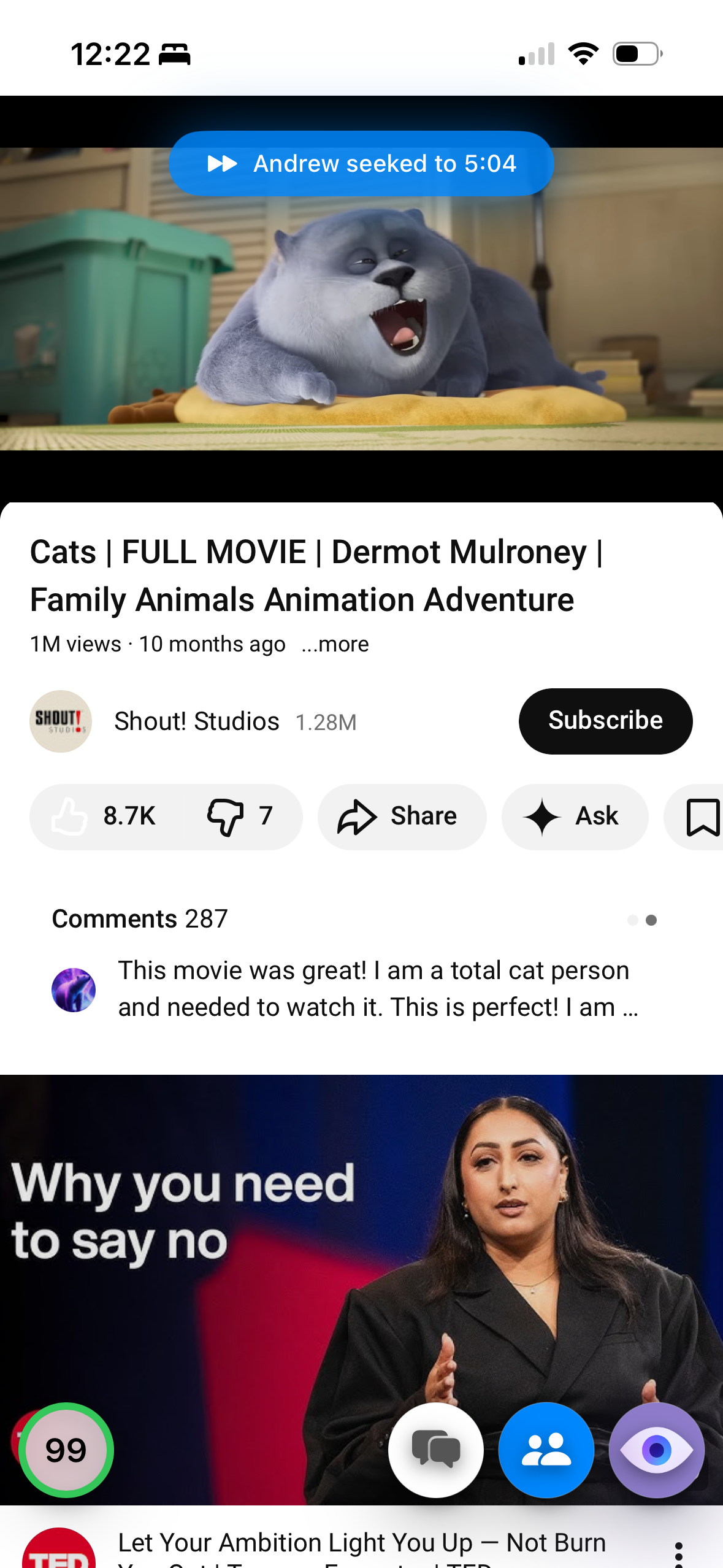
Mira's Watch Together feature replaces the ritual with a room. One of you hosts, the other joins with a short code, and from then on playback is shared: when either of you plays, pauses, or scrubs the timeline, the other side follows automatically, in real time. A pause is a pause for both of you. A "wait, go back" is one drag of the slider, not a phone negotiation.
Setting up your watch night
- One of you opens Watch Together in Mira — it's in the toolbar on Mac and iPad, or in the tool menu on iPhone — enters a display name, and taps Host Session.
- Send the 4-character room code to the other person.
- They open Watch Together, type the code, and tap Join.
- The host opens the video and taps Share Link — the other person gets a Follow prompt that drops them in at the exact same spot.
- Press play. Pauses, rewinds, and bathroom breaks all stay in sync from here.
If a connection hiccups and you drift apart, the host taps Fix Sync and both sides snap back to the same moment. No timestamps were harmed.
The Watch Together panel shows who's in the room and marks who's on the host's video, so there's never a "wait, are you even on it yet?" moment. And hosting isn't a fixed job: the host can pass the remote to the other person at any time, which settles the eternal question of whose turn it is to hold the controls.
Chat, or call — your choice
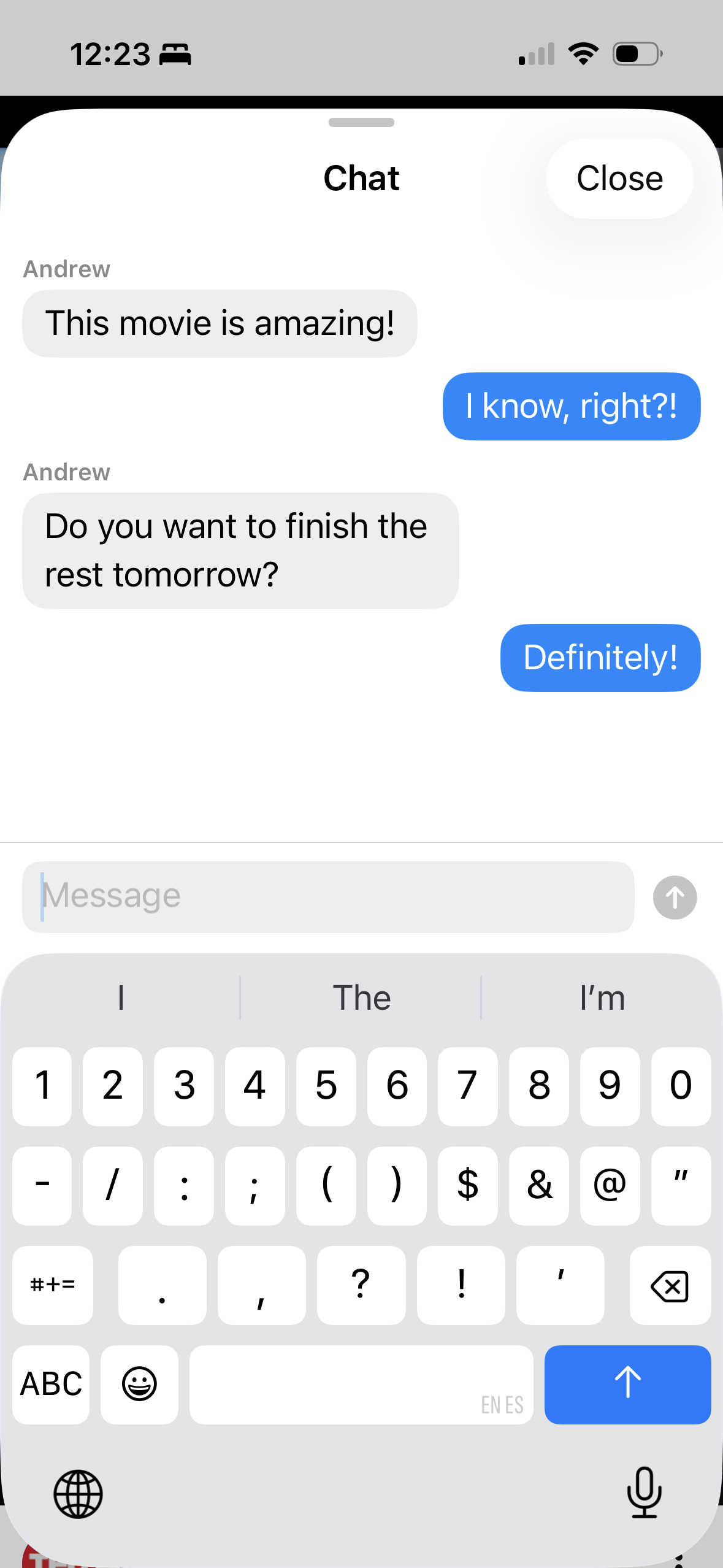
Some couples keep a video call running on another device the whole time, and that works fine: Mira doesn't replace the call, it just takes over the one job the call was bad at — keeping the video aligned. Others prefer the built-in chat, which sits alongside the video with typing indicators, so a "did you see that??" arrives while that is still on screen.
Make it a standing date
The setup is light enough to repeat weekly: same night, new code, two minutes to get rolling. Between watch nights, Mira's Watchlist is a good staging area — either of you can save candidate videos as you find them during the week, pin the front-runners, and have the shortlist ready when the room opens. Saved videos remember where you stopped, so a movie split across two evenings resumes at the right spot instead of at another timestamp negotiation.
It's not just for couples
The same room works for a parent and a kid at college keeping a weekly episode tradition alive, siblings in different time zones, or a friend group that scattered after graduation — a room holds up to 10 people, on any mix of iPhone, iPad, and Mac. And it isn't limited to one site: Mira works with YouTube, Netflix, Hulu, Disney+, Max, Prime Video, Apple TV+, Twitch, and more, plus any public video site you add yourself. If your group leans toward premieres and group reactions, see hosting a YouTube watch party; for the full feature walkthrough, there's the complete Watch Together guide.
Things to note
- Both of you need Mira. The sync happens inside the app, so each person installs it on their own device. New installs get 5 days of full access, so the first watch night is easy to try.
- Everyone uses their own sign-in. For a night on Netflix or Disney+, each person uses their own account with that service — Mira syncs your playback, it doesn't share a stream.
- Sync isn't magic. Real networks wobble, and a rough connection can still drift — that's what the host's Fix Sync button is for.
Mira is a native video player for iPhone, iPad, Mac, and Apple TV that skips sponsors, intros, and other unwanted segments — with searchable transcripts, AI summaries, and synced watch parties.