How to Host a YouTube Watch Party (with Chat)
A music video drops at midnight. A creator you've followed for years premieres the finale of a series. A two-hour video essay finally lands and your group chat has been waiting all week. These are the moments a watch party exists for — everyone seeing it at the same time, reacting in the same minute, instead of trading "have you seen it yet??" messages for three days.
Mira's Watch Together feature turns any YouTube video into a watch party: a private room, playback that stays in sync for everyone, and a chat running alongside. Here's how to host one.
What everyone needs
Each guest needs Mira on their own device — iPhone, iPad, or Mac. It's one app across all three, so a mixed-device group is fine, and a room holds up to 10 people. There's nothing to configure on YouTube's side; you're simply watching YouTube inside Mira. New installs come with 5 days of full access, so a friend can install ten minutes before the premiere and still make it.
Host the party
- Open Watch Together — in the toolbar on Mac and iPad, or in the tool menu on iPhone.
- Enter a display name and tap Host Session. Mira creates a room and gives you a 4-character code.
- Send the code to your group however you normally talk to them.
- Once people have joined, open the video and tap Share Link. Everyone in the room gets a Follow prompt that drops them in at your exact spot.
- Press play. From here, play, pause, and seeking stay in sync for the whole room.
The chat is half the point
A watch party without reactions is just watching. Mira's room chat runs alongside the video, with typing indicators so you can see a reply coming and unread badges so nothing gets lost while the panel is closed. The jokes land in the same second as the moment — which is the whole reason to do this instead of texting timestamps back and forth afterward.
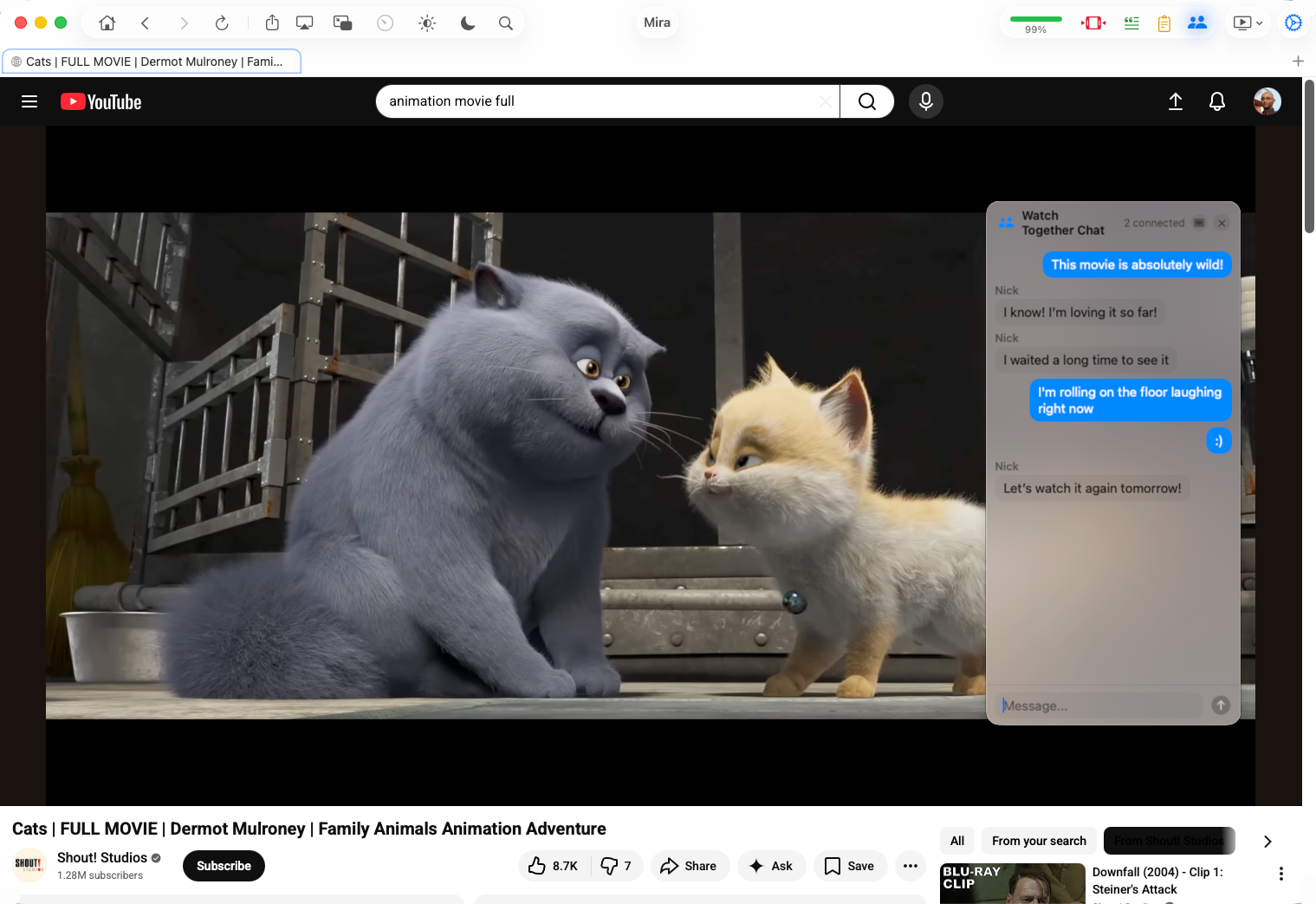
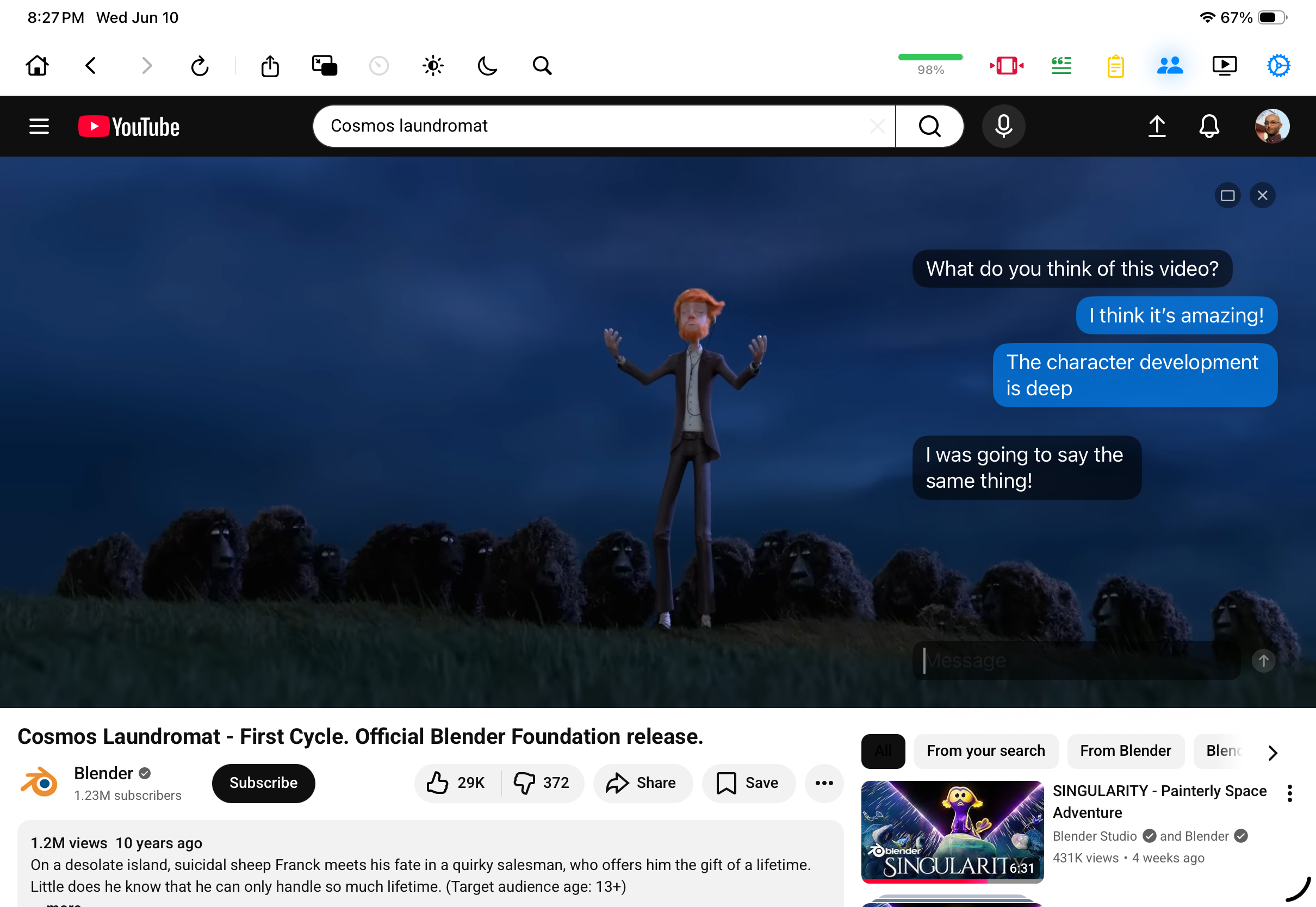
On Mac and iPad, you can switch the chat into a translucent overlay that floats over the video itself, so nobody has to choose between the picture and the conversation.
Keeping the room in step
Sync is automatic — when anyone plays, pauses, or scrubs the timeline, everyone follows along. A few host tools help when real life intervenes:
- Fix Sync — if connections drift, one tap snaps everyone back to the same moment.
- Guest controls — you decide whether guests can control playback and whether they can change the video for the group. Both are on by default; locking playback is handy when one friend can't stop scrubbing.
- Pass the remote — hand hosting to someone else if you need to step away mid-party.
Two smaller details help a party run itself. The room panel lists everyone and marks who's on the host's video, so stragglers are easy to spot and re-invite with another Share Link. And playback speed is locked to 1× during a session, so the party watches the video the way it was made — together.
What works well at a party
Premieres and fresh uploads are the obvious case — the comments section experience, but with people you actually know. Music video releases work because three minutes of chat-screaming is a complete event. Long video essays turn the chat into a running commentary track. And revisiting a classic from a creator's back catalog gives newcomers in the group the live-reaction experience the rest of you had years ago.
If you want the full tour of rooms — joining, the peer list, mixing devices — see the Watch Together how-to. And if your "party" is really a standing date with one person far away, long-distance watch nights is written for exactly that.
Things to note
- Everyone needs Mira. There's no browser-guest mode — the sync and the chat live in the app, on each person's device.
- Ten people max. A room is built for a group of friends, not an audience.
- The chat is your room's chat. It isn't YouTube's live chat — your messages stay between the people in your room and don't appear on the video.
Mira is a native video player for iPhone, iPad, Mac, and Apple TV that skips sponsors, intros, and other unwanted segments — with searchable transcripts, AI summaries, and synced watch parties.