How to Watch Videos Together in Sync on iPhone, iPad, and Mac
Watching a video with someone is a different thing from watching it alone — the pause to argue about a plot twist, the rewind because somebody missed a line, the commentary nobody asked for but everyone enjoys. When the other person is in a different house, or a different country, most of that disappears. Watch Together in Mira brings it back: a shared room where everyone's playback stays in step, with chat built in.
And because Mira is a single app for iPhone, iPad, and Mac, the room doesn't care what anyone is holding. One friend joins from a MacBook, another from an iPad on the couch, a third from a phone — everyone sees the same moment.
How a room works
One person hosts and gets a short room code — four characters. Everyone else types that code into Mira on their own device and joins. Up to 10 people can be in a room at once. From then on, play, pause, and seeking are synced in real time: when anyone scrubs the timeline, the whole room follows.
Create a room
- Open Watch Together — it lives in the toolbar on Mac and iPad, and in the tool menu (the floating eye button) on iPhone.
- Enter a display name. This is the name everyone sees in the room panel and in chat.
- Tap Host Session. Mira creates your room and shows its 4-character code.
- Share the code with your friends — text it, post it in the group chat, read it out over the phone.
Join a room
- Open Watch Together the same way.
- Enter your display name.
- Type the host's code and tap Join.
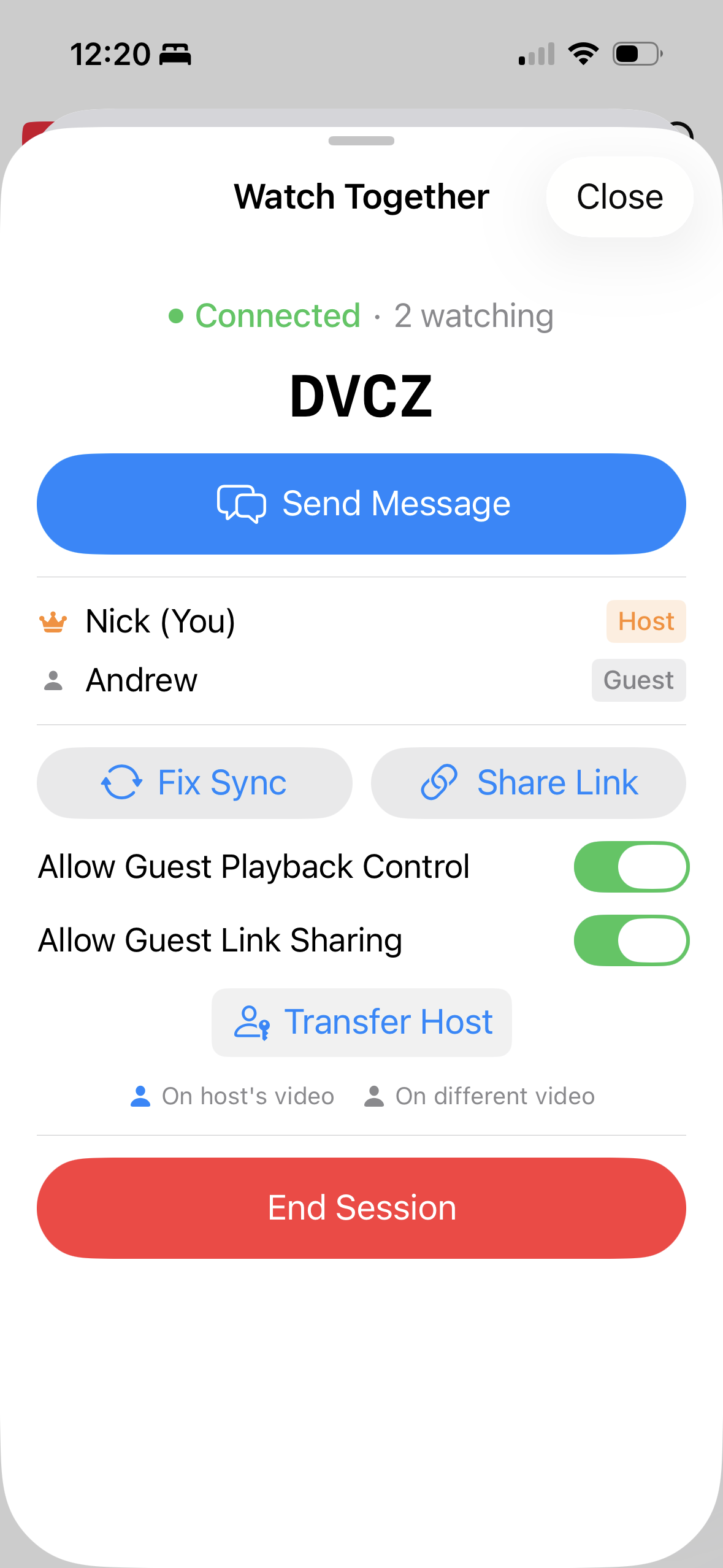
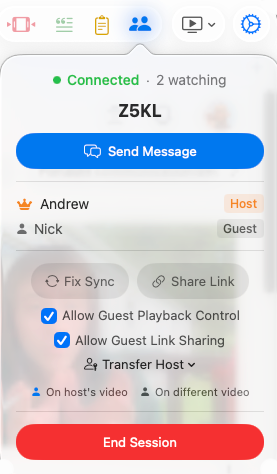
The Watch Together panel lists everyone in the room and marks who's on the host's video — useful for spotting the friend who has quietly wandered off to something else.
Getting everyone on the same video
Tap Share Link to send the current video to the room. Everyone gets a Follow prompt that drops them in at your exact spot — or they can ignore it and keep watching what they had. Once you're all on the same video, sync is automatic: anyone's play, pause, or seek is mirrored for the whole room, and playback speed is locked to 1× during the session so nobody quietly races ahead.
Connections aren't always kind. If people drift apart, the host can tap Fix Sync to snap everyone back to the same moment. The host also decides whether guests can control playback and whether they can change the video for the group — both are on by default — and can hand off hosting to anyone else in the room.
Chat without leaving the video
Every room has a built-in chat, with typing indicators and unread badges so you don't miss a message while the panel is closed. On Mac and iPad, you can switch the chat into a translucent overlay that floats over the video — closer to whispering in a theater than to switching apps. If your group mostly gathers around YouTube, the watch party guide goes deeper on that.
What you can watch together
Watch Together isn't limited to YouTube. Mira works with Netflix, Hulu, Disney+, Max, Prime Video, Apple TV+, Twitch, and more — and you can add any public video site as a custom platform. That flexibility matters for long-distance watch nights, where what you want to watch changes from week to week.
Things to note
- Everyone needs Mira. The room only syncs people who are in it, and joining requires the app. A new install comes with 5 days of full access, so a first-time guest can join tonight's session before deciding anything.
- Everyone signs in individually. For sites like Netflix or Disney+, each person signs into their own account on their own device. Mira syncs playback; it doesn't share a stream or an account.
- Rooms cap at 10 people. Plenty for a movie night, not enough for a public screening.
- Playback speed is locked at 1×. Great for staying in sync, mildly frustrating for the 2× crowd.
Mira is a native video player for iPhone, iPad, Mac, and Apple TV that skips sponsors, intros, and other unwanted segments — with searchable transcripts, AI summaries, and synced watch parties.