One Watchlist for Every Video Site
Think about where "things I mean to watch" actually live right now. A Watch Later playlist on YouTube. A My List on Netflix. A queue on another service you check twice a year. A documentary link a friend sent that's still sitting in iMessage. Each site keeps its own list, none of them know about the others, and the result is that half the things you genuinely wanted to watch quietly disappear into the gaps.
Mira approaches this differently. Because it's one app for YouTube and the other video sites you use — see one app for every video site for that bigger picture — it can offer one Watchlist that doesn't care which site a video came from.
One list, any platform
Mira's Watchlist works across the platforms you watch in Mira: YouTube, the built-in streaming services, and any custom site you've added. Saving is deliberately boring — you either add the video you're currently watching, or paste a link. That second option quietly solves the iMessage problem: a link from a friend goes straight into the same list as everything else, instead of scrolling away into a conversation.
There's a second benefit that's easy to miss: saving becomes a real alternative to watching. When a good twenty-minute video surfaces at a bad time, the usual options are "watch it now anyway" or "lose it." A list you trust adds a third — save it, knowing it will resurface in the one place you watch everything else, rather than in whichever app it happened to arrive in.
It tracks state, not just links
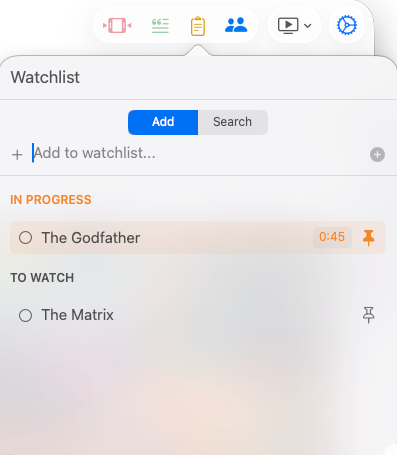
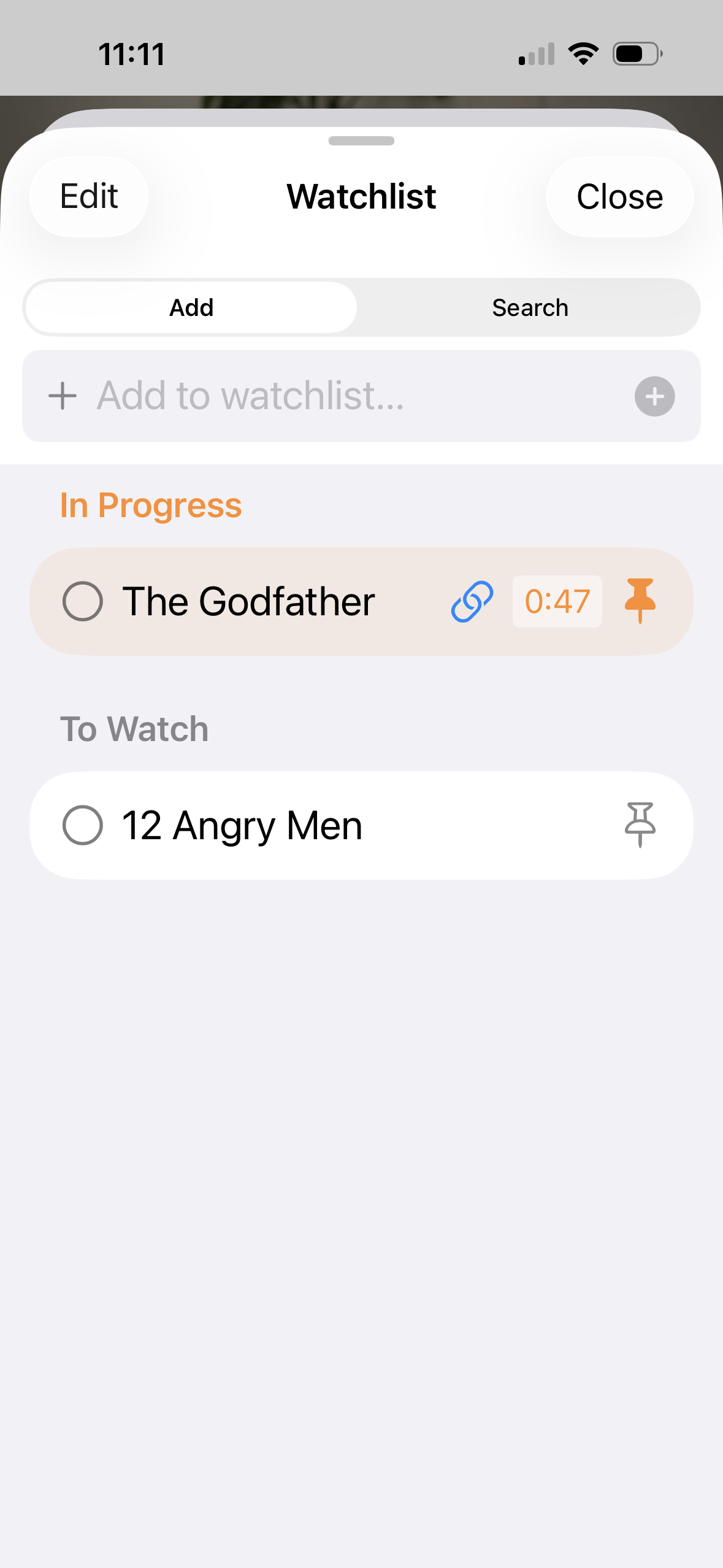
A flat list of links rots quickly because it can't answer the question you actually have: where was I? Mira's Watchlist organizes itself into three groups — In progress, To watch, and Watched — so the difference between "started and abandoned at minute 40" and "never opened" is visible at a glance.
That structure matters most for long material. A two-hour lecture or a multi-part documentary rarely gets finished in one sitting; on many sites, coming back means hunting through history and scrubbing to find your spot. In Mira, the half-finished video sits in In progress with a saved timestamp, and resuming is one tap.
Beyond the groups, each saved video gives you a few simple controls:
- Pin the videos you actually intend to watch next, so they stay at the top instead of sinking under newer saves.
- Mark watched when you're done, moving a video into the Watched group rather than deleting the record that you saw it.
- Edit the saved timestamp on a partially-watched video, so resuming drops you at a specific point — the start of the section you stopped in, not the beginning of a two-hour video.
Using the Watchlist
- Open the Watchlist — it's in the toolbar on Mac, or in the tool menu (the floating eye button) on iPhone.
- Add the current video, or type a title to add something you're not watching right now — you can link it to a video later when you have it open.
- Pin it, mark it watched, or edit its saved timestamp as your plans change.
- When you come back, pick up from In progress and resume at your saved spot.
Housekeeping
Lists you can't reset become lists you stop trusting. If your Watchlist has drifted from reality, you can clear it entirely under Settings → Data and start fresh. And if you're brand new to Mira, the Watchlist is one of the things the first-launch setup walks past quickly — our getting started guide covers where everything lives on each device.
Things to note
- It doesn't import the lists you already have. Your YouTube Watch Later or Netflix My List won't appear automatically — videos join Mira's Watchlist when you add them there.
- Playback works like the site itself. Saving a video from a streaming service doesn't change how playback works — you'll need to be signed in to that service to watch it.
- Saved entries are links. If a video is taken down or made private on its original site, the Watchlist entry can't bring it back.
Mira is a native video player for iPhone, iPad, Mac, and Apple TV that skips sponsors, intros, and other unwanted segments — with searchable transcripts, AI summaries, and synced watch parties.