How to See Dislikes on YouTube Again
For most of YouTube's history, the dislike count was the fastest quality check on the platform. A tutorial with a thumbs-down avalanche meant the fix didn't work. A "full movie" upload with a terrible ratio meant it wasn't the full movie. You learned to glance at the bar before committing twenty minutes of your life.
In late 2021, YouTube removed public dislike counts. The dislike button itself stayed — pressing it still tunes your recommendations, and creators still see their own counts in their analytics — but viewers lost the public number, and with it one of the quickest signals for judging a video before pressing play.
YouTube's stated reasoning was about protecting creators from coordinated dislike campaigns, and that's a real problem for the people making videos. But for the people watching them, the change had a cost: the like count alone says very little. A video can show fifty thousand likes whether it delighted ninety-five percent of its viewers or frustrated half of them — without the other side of the ratio, there's no way to tell the difference from the watch page.
The community's answer
Viewers who missed that signal built a replacement. Return YouTube Dislike, a community project, estimates what public dislike counts would look like today. It builds its estimates from archived counts from before they were hidden and from data contributed by people who use the project. The result isn't the exact number YouTube knows internally — it's an informed estimate — but in practice it restores the signal that mattered: roughly how warmly a video was received.
It's the same spirit that powers SponsorBlock, another community project Mira supports, where viewers pool their effort so everyone watches better — if that idea appeals to you, our explainer on what SponsorBlock is makes a good companion read.
How Mira shows it
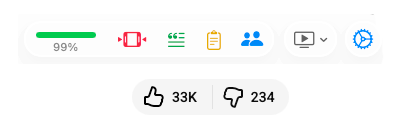
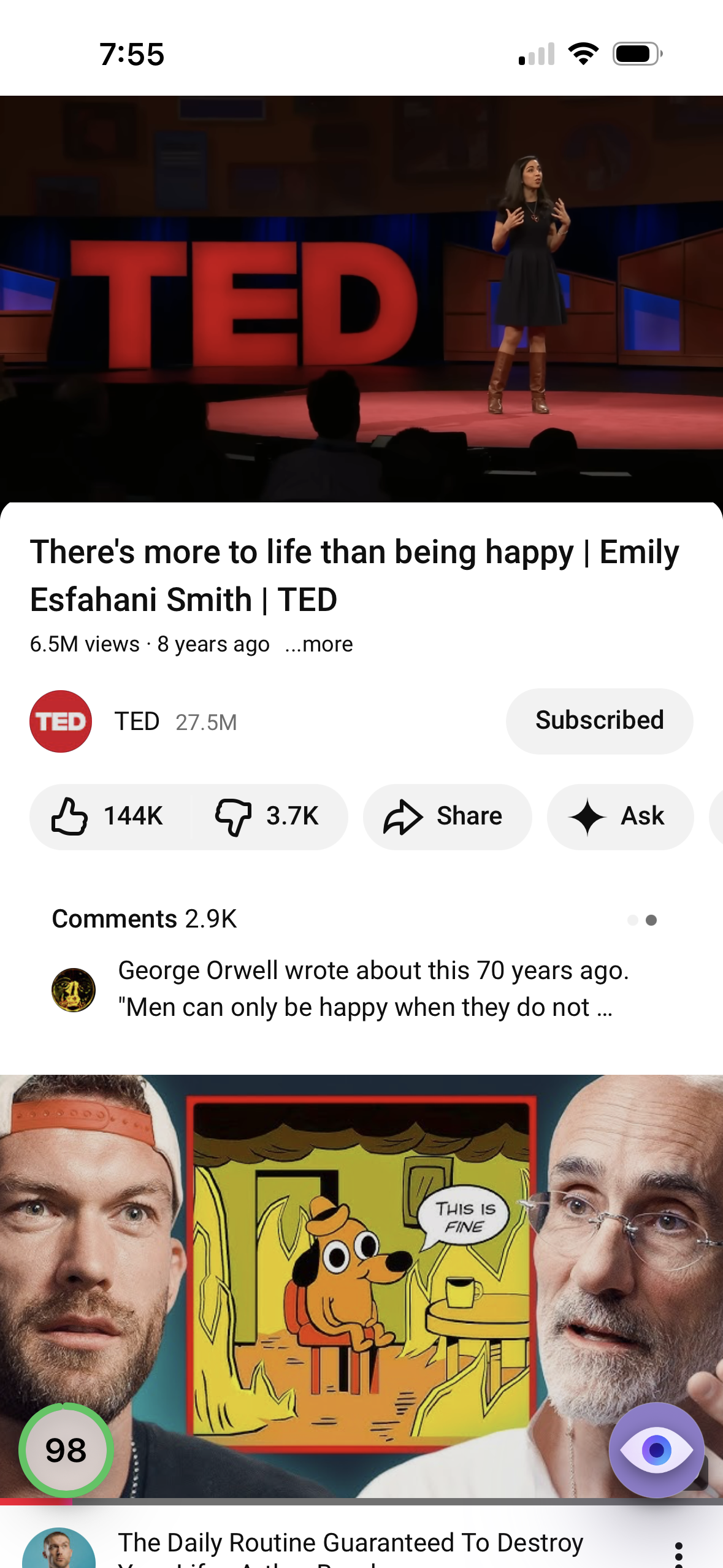
Mira builds this community-powered data into the player, so while a YouTube video is playing you can see dislike counts again — plus an at-a-glance reading that's faster than comparing two raw numbers:
- On the Mac and iPad, a color-coded ratio bar with the percentage of likes appears in the toolbar, so a video's overall reception registers in a glance.
- On iPhone, a floating ratio circle sits in the bottom-left corner of the screen — tap it for the full like and dislike breakdown.
Turning it on
- If you're setting up Mira for the first time, Show YouTube Dislikes is offered right in the first-launch setup — accept it there and you're done.
- Otherwise, open Mira's Settings and go to Settings → General → YouTube.
- Enable YouTube Dislikes.
- Play any YouTube video — the rating appears while the video is playing.
What you do with the signal
The point isn't dwelling on negativity — it's spending your attention better. A weak ratio on a tutorial sends you back to search before you've wasted time following broken steps; a strong one on a long lecture makes the time commitment easier to make. It pairs naturally with Mira's other tools for deliberate watching, like Focus Mode, which strips away the recommendation feed and comments so that once you do choose a video, you watch it rather than the sidebar.
Things to note
- These are estimates, not exact counts. Only YouTube knows the true number of dislikes on a video today. Return YouTube Dislike extrapolates from archived data and its participants' activity — treat the figure as a well-grounded approximation, not gospel.
- Smaller and newer videos are rougher. Estimates lean on the data available; a niche video with few data points behind it will carry more uncertainty than a popular one.
- It appears on the video, not in the feed. Mira shows the rating while a video is playing, so it informs whether to keep watching — you won't see ratios stamped on thumbnails as you scroll.
- YouTube only. Like other YouTube-specific features in Mira, dislike estimates don't apply to other sites you watch.
Mira is a native video player for iPhone, iPad, Mac, and Apple TV that skips sponsors, intros, and other unwanted segments — with searchable transcripts, AI summaries, and synced watch parties.