How to AirPlay Web Videos to Your Apple TV
Some videos belong on the biggest screen in the house. The good news is that everything you watch in Mira — YouTube, your streaming services, even custom sites you've added yourself — can land on your Apple TV in a couple of taps.
If you're here for YouTube, start somewhere else. Mira now has a dedicated Apple TV app — you browse and watch on the television itself with the Siri Remote, and sponsor skipping, subtitles, transcripts, and AI all come along. Here's how to set it up. It needs an iPhone running iOS 26 or later, and it covers YouTube only.
For everything else — your streaming services, custom sites you've added, or an iPhone that can't run the TV app — Screen Mirroring is the answer, and it's the same on every device: mirror from your iPhone, iPad, or Mac. It's reliable — whatever is playing on your device is what shows up on the TV.
Screen Mirroring from an iPhone
- Start your video in Mira.
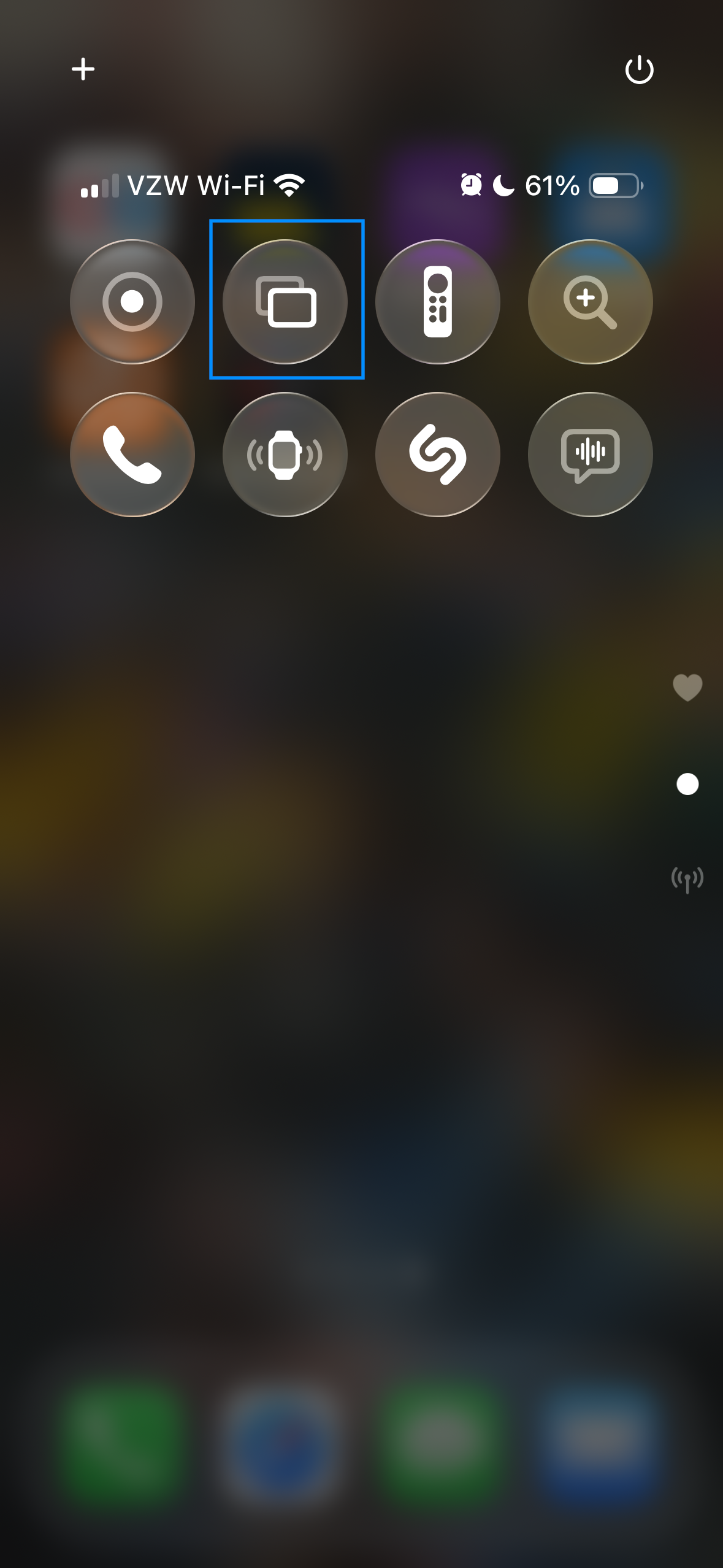
- Open Control Center — swipe down from the top-right corner of the screen. (On an iPhone with a Home button, swipe up from the bottom edge instead.)
- Tap Screen Mirroring — the icon looks like two overlapping rectangles — then choose your Apple TV.
- Your iPhone's screen appears on the TV. Flip Mira into fullscreen and the video fills the television.
Don't see Screen Mirroring in Control Center? Add it: tap the + in the top-left corner of Control Center (or touch and hold an empty area) to enter edit mode, tap Add a Control, then pick Screen Mirroring and tap done.
Screen Mirroring from an iPad
- Start your video in Mira.
- Open Control Center — swipe down from the top-right corner of the screen.
- Tap Screen Mirroring, then choose your Apple TV.
If the button isn't in your Control Center yet, the same Add a Control steps as the iPhone apply.
Screen Mirroring from a Mac
- Start your video in Mira.
- Click Control Center in the menu bar — the two-toggles icon near the clock.
- Click Screen Mirroring and choose your Apple TV.
Want it one click closer? Open System Settings → Control Center, find Screen Mirroring, and set it to Show in Menu Bar — it becomes its own menu-bar icon.
A couple of tips for movie night
- Same network. Your device and the Apple TV need to be on the same Wi-Fi network to see each other.
- Silence the interruptions. Mirroring shows your whole screen — turning on Do Not Disturb keeps notifications off the TV while you watch.
- Your setup carries over. Everything you've configured still applies on the big screen: SponsorBlock keeps skipping segments and your playback speed stays put, because the TV is simply showing your device.
Things to note
- It mirrors everything. Screen Mirroring shows your entire screen, not just the video — if you switch apps mid-movie, the room sees it.
- Wi-Fi quality matters. Mirroring streams over your network, so a weak signal between device and Apple TV can affect smoothness.
- Apple TV (or an AirPlay-compatible TV) required. This guide covers Apple's Screen Mirroring; TVs without AirPlay support need other hardware.
Mira is a native video player for iPhone, iPad, Mac, and Apple TV that skips sponsors, intros, and other unwanted segments — with searchable transcripts, AI summaries, and synced watch parties.