A Calmer Way to Watch Videos on iPhone
The phone is where video watching happens in the in-between moments — the commute, the kitchen, the last twenty minutes before sleep. It's also where watching feels least like a choice: thumbnails autoplay as you scroll, Shorts appear between the videos you searched for, and the end of one video is engineered to be the beginning of another.
Mira is a video player app for iPhone (and iPad and Mac) built on a quieter assumption: you generally know what you want to watch. This is a tour of how its pieces fit together on a phone — not a settings list, more like a walk through the apartment.
One button, every control
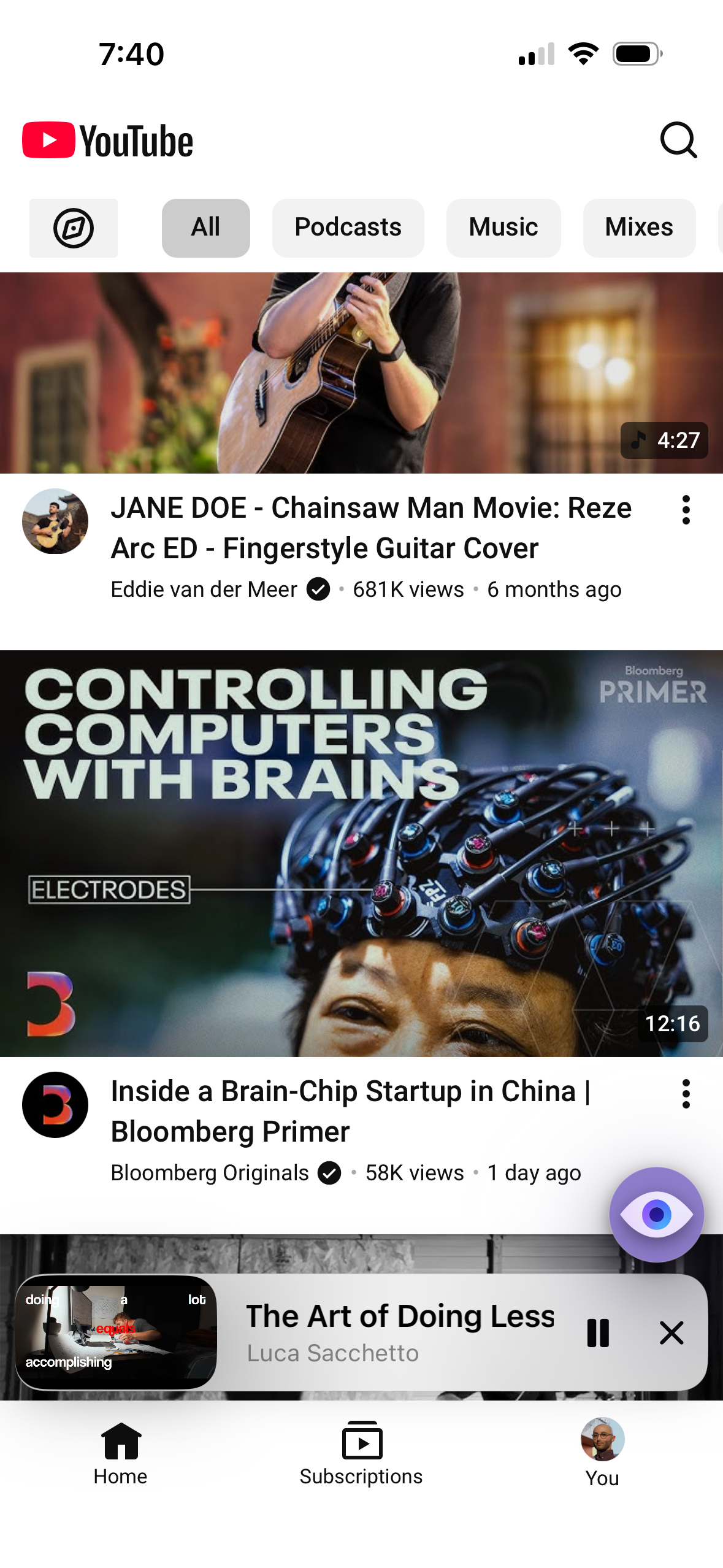
Mira's interface on iPhone is mostly… not there. A single floating eye button sits in the bottom-right corner; tap it and the tool menu opens with everything in one place — search, playback speed, Focus Mode, transcript, Watch Together, Settings, and more. The button fades away as you scroll down and reappears when you scroll up, so it's present when you want it and gone when you're watching.
Focus Mode, the big lever
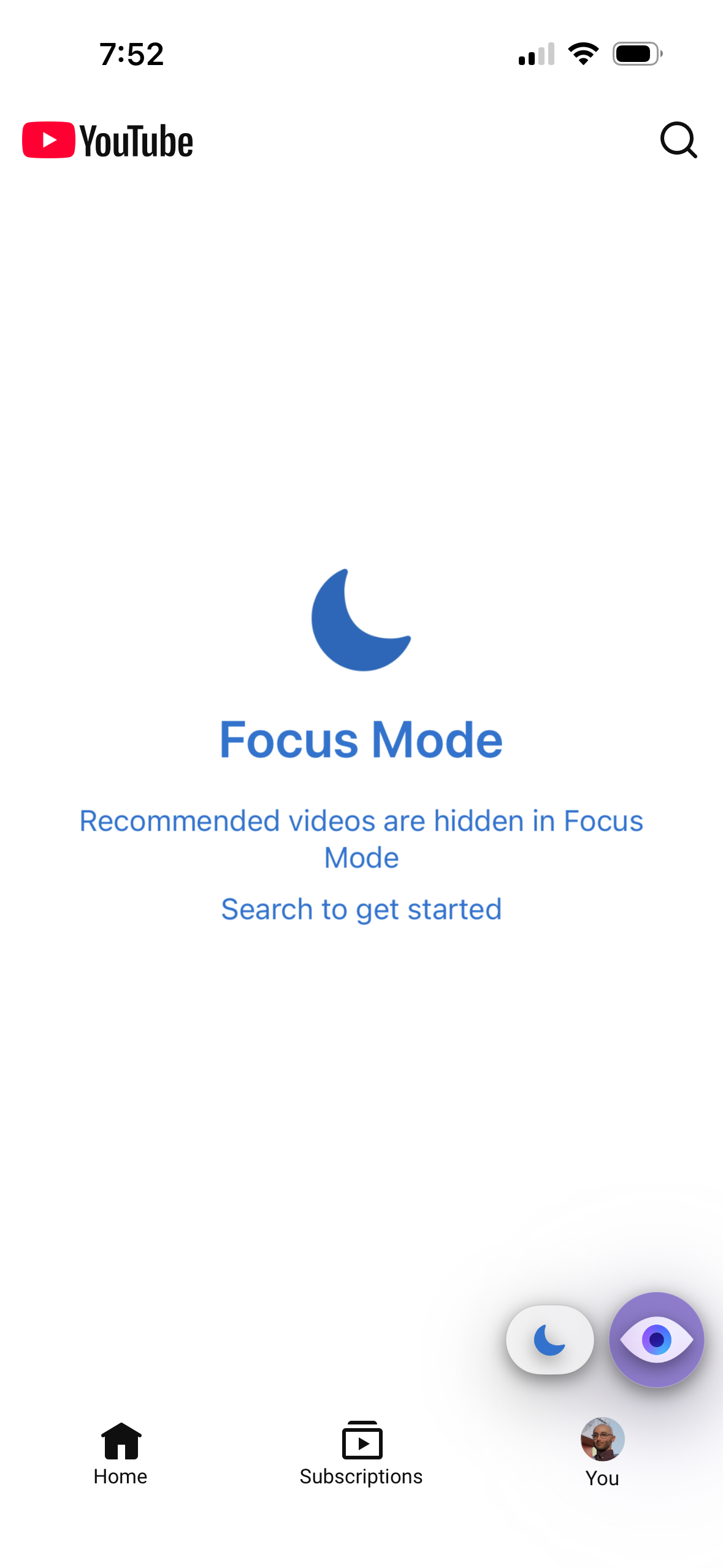
Tap Focus Mode in the tool menu and YouTube simplifies: the homepage drops its feed and recommendations, leaving a clean page with just the search bar, and video pages hide the comments and the recommended videos around the player. The video you chose becomes the only thing asking for your attention. There's a full write-up in Focus Mode: just you and the video.
A homepage you chose
For days when you do want to browse, Mira lets you decide what the browsing looks like. Under Settings → General → YouTube there are per-element toggles: Hide Shorts removes Shorts from the feed, search, and channels; Hide Playables hides the mini-games; Disable Video Previews stops thumbnails from silently autoplaying as you scroll, so the page holds still while you read it. It's less about removing YouTube and more about choosing which version of it greets you.
Nights and long sessions
Late-night phone viewing has a specific failure mode: dark room, dark scene, then a cut to something searing white. Eye Comfort Mode, in the same tool menu, dims those harsh highlights with an adjustable intensity slider — and it works on any site you watch in Mira, not just YouTube. There's more on when to reach for it in the Eye Comfort guide. Mira also follows your iPhone's light or dark appearance automatically, with nothing to configure.
For listening rather than watching — podcasts, lectures, music — background play keeps YouTube audio going when you lock the screen or switch apps. And when a video deserves your eyes but not all of them, Picture-in-Picture pops it into a small floating window so it can ride along while you do something else.
Saving instead of scrolling
A lot of doomscrolling is really just bad bookmarking — you keep the feed open because you might lose the thing you half-meant to watch. Mira's Watchlist gives those videos somewhere to go: add the current video or paste a link, pin the important ones, and let the list sort itself into In progress, To watch, and Watched. Partially-watched videos resume from your saved spot, which quietly removes another reason to leave the app open.
Skipping what you didn't come for
Mira has SponsorBlock built in: community-contributed timestamps that automatically skip sponsor reads, intros, outros, self-promos, and recaps inside YouTube videos. When a segment is skipped you see a small toast with an Undo button, in case you actually wanted it. Setup is a toggle in Settings, and the SponsorBlock on iPhone and iPad guide covers the categories and how to contribute segments back.
Things to note
- Several of these are YouTube-only. Focus Mode, the homepage toggles, SponsorBlock, and background play work on YouTube; Eye Comfort Mode and Watch Together work across the platforms you add.
- Mira is its own app. You watch in Mira, not inside the YouTube app — though auto-login keeps your YouTube subscriptions and history with you, and you can turn it off to browse signed out.
Mira is a native video player for iPhone, iPad, Mac, and Apple TV that skips sponsors, intros, and other unwanted segments — with searchable transcripts, AI summaries, and synced watch parties.