Looking for a Video Lite Alternative? Mira on iPhone, iPad, and Mac
Video Lite is a popular video app for iPhone and iPad, and it sits in a category that has quietly earned a devoted audience: lightweight players that give you YouTube in a focused, app-shaped package instead of a busy browser tab. If you're comparing apps in this category, it helps to know what to look for — and where each option puts its energy. This post lays out that checklist, then shows how Mira approaches each item. Mira's short pitch: one app across iPhone, iPad, and Mac, with SponsorBlock skipping, searchable transcripts and AI summaries, and synced Watch Together rooms built in.
Why lightweight video apps caught on
The appeal is easy to state. A purpose-built player opens straight to the video, keeps the controls you actually use within reach, and leaves out everything that isn't watching. Apps like Video Lite found an audience because plenty of people want exactly that: a player, not a portal. Once you've watched this way for a week, going back to a cluttered tab feels like a step backward.
What to look for in this category
Lightweight players differ more than their icons suggest. A few questions worth asking before you settle on one:
- Device coverage. Do you watch on one device or three? Check whether one app covers your iPhone, your iPad, and — if you use one — your Mac.
- Segment skipping. Sponsor reads, intros, and recaps eat real time. SponsorBlock is the community project that crowdsources where those segments start and end; check whether an app supports it and lets you choose which categories to skip.
- Transcripts and search. For lectures, podcasts, and tutorials, being able to search a video like a document changes how you use it.
- Watching with other people. Synced playback with friends in other places is rare in this category, but it exists.
- The everyday basics. Playback speed, Picture-in-Picture, background audio, and picture quality should all just work.
- Saving for later. A watchlist that remembers where you stopped is the kind of small feature you end up using daily.
How Mira covers each item
One app, three devices. Mira is a single universal app — one download covers iPhone, iPad, and Mac, with the same experience on each.
SponsorBlock, built in. Mira skips sponsors, intros, and other unwanted segments using community-shared timestamps. You pick from eight categories — sponsor reads, intros, outros, self-promos, recaps, and more — and an Undo button appears after every skip in case you wanted to see that part after all. There's a full walkthrough in our guide to using SponsorBlock on iPhone and iPad.
Transcripts and AI. Open a YouTube video's full transcript, search it, and tap any line to jump straight to that moment — or turn on Follow Playback and read along as the video plays. With your own API key from Claude, OpenAI, or Grok, an AI Summary tab adds one-tap takeaways, outlines, and follow-up questions; transcripts themselves work without any key. We cover this in how to search a YouTube video's transcript.
Watch Together. Host a room, share a 4-character code, and up to 10 people stay in sync — play, pause, and seeking follow along for everyone, with chat alongside. More in watching videos together in sync.
The basics. Playback speed from 0.25× to 3.0× — up to 10× on Mac — with your choice remembered, Picture-in-Picture on iPhone and iPad, background play for YouTube audio, automatic selection of the highest available resolution up to 4K, and AirPlay or Screen Mirroring to an Apple TV.
A watchlist that resumes. Save videos, pin the important ones, and pick up from a saved timestamp — organized into In progress, To watch, and Watched.
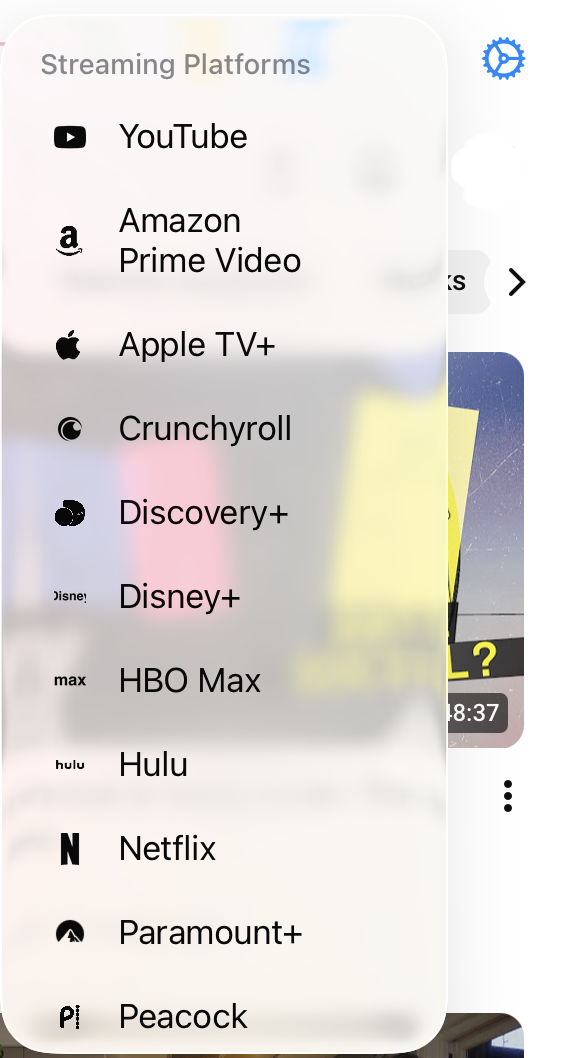
Beyond YouTube. Netflix, Disney+, Twitch, Prime Video, and other services are built in, and you can add any public video site as a custom platform — it then shows up in the Platforms menu like the rest.
Who should pick what
Mira makes the strongest case when device breadth matters to you (the same player on your Mac as on your iPad), or when the extra layers are the point: transcript search and AI summaries for long-form videos, SponsorBlock skipping, or watch parties with friends in other cities.
Things to note
- Its deepest features are YouTube features. SponsorBlock, transcripts, and Focus Mode apply to YouTube; on other platforms you still get cross-platform tools like playback speed, Watch Together, the watchlist, and Eye Comfort Mode.
Mira is a native video player for iPhone, iPad, Mac, and Apple TV that skips sponsors, intros, and other unwanted segments — with searchable transcripts, AI summaries, and synced watch parties.